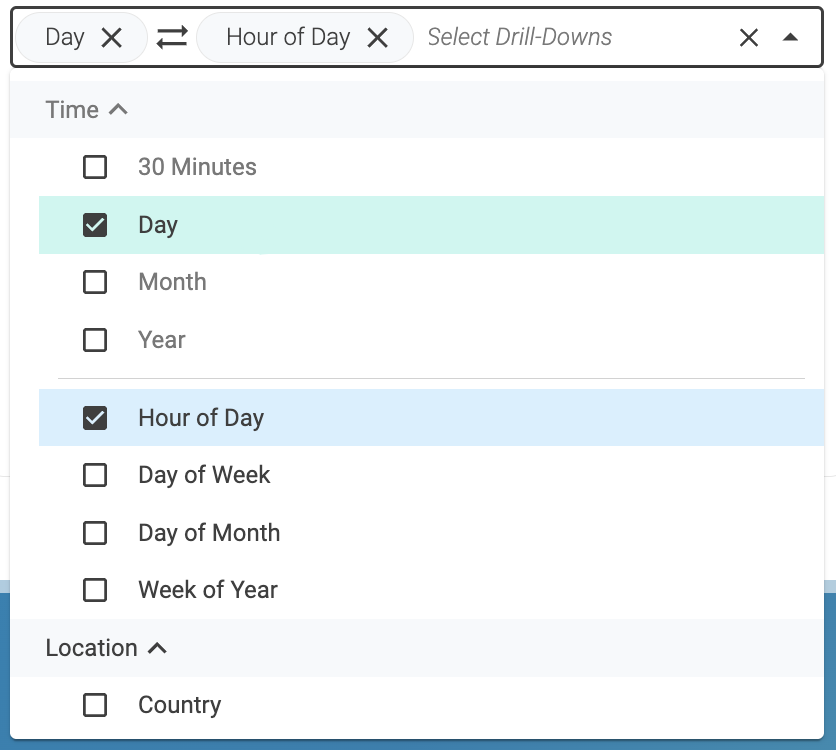
Drill-downs
Use the drill-down to group data and get a clear view of your website
and pages performance. For example, if you select Day from the
drill-down menu, the Website KPIs widget and metrics table will show
values distributed by day.
In the Website KPIs, you can combine two drill-downs to have a more
detailed view of the data. For example, you can select to group data by
month and by day of the week.
In the Website KIPs widget, the selected drill-down defines the type of
chart that the Website KIPs widget selects to present the data.
| Name |
Description |
30 minutes |
Groups data by periods of 30 minutes.
Chart: Bar |
Day |
Groups data by day.
Chart: Line |
Month |
Groups data by month.
Chart: Dot |
Year |
Groups data by year.
Chart: Dot |
Hour of the Day |
Groups data by hour.
Chart: Bar |
Day of the Week |
Groups data by day of the week: Sunday, Monday,
Tuesday, Wednesday, Thursday, Friday, and Saturday.
Chart: Bar |
Day of the Month |
Groups data by day of the month.
Chart: Bar |
Week of the Year |
Groups data by week of the year. For example, in week
24 the site had 1100 page requests.
Chart: Bar |
Country |
Groups data by the country from which the visitor is accessing
the website or the page. For example, Germany or Portugal.
Chart: Donut |
Region |
Groups data by the region from which the visitor is accessing
the website or the page. For example, Hamburg or Lisbon.
Chart: Donut |
Device Type |
Groups data by the type of device that the visitor is
using. For example, desktop or mobile phone.
Chart: Donut |
Browser |
Groups data by the browser that the visitor is using. For
example, Chrome or Firefox.
Chart: Donut |
Traffic Source |
Groups data by the origin of the access of the visitor. One of the
following:
-
Direct Traffic: The visitor access the website or page using a
directly link from inside the site or by writing the URL in the browser.
-
Referrer: The visitor accessed the website or the page clicking in a
link from an external site.
|
Segments |
Groups data by the defined segments.
Chart: Donut |