Creating Segments from a Template
Use pre-defined templates to segement visitors and create more personalized and effective marketing campaigns.
Prerequisites
Before you start:
-
Log in to Content Studio.
-
Create a widget in your dashboard of type
Website KPIs.
Steps
1. Open the segment management window
-
In the
Website KPIswindow, filter data by segments.
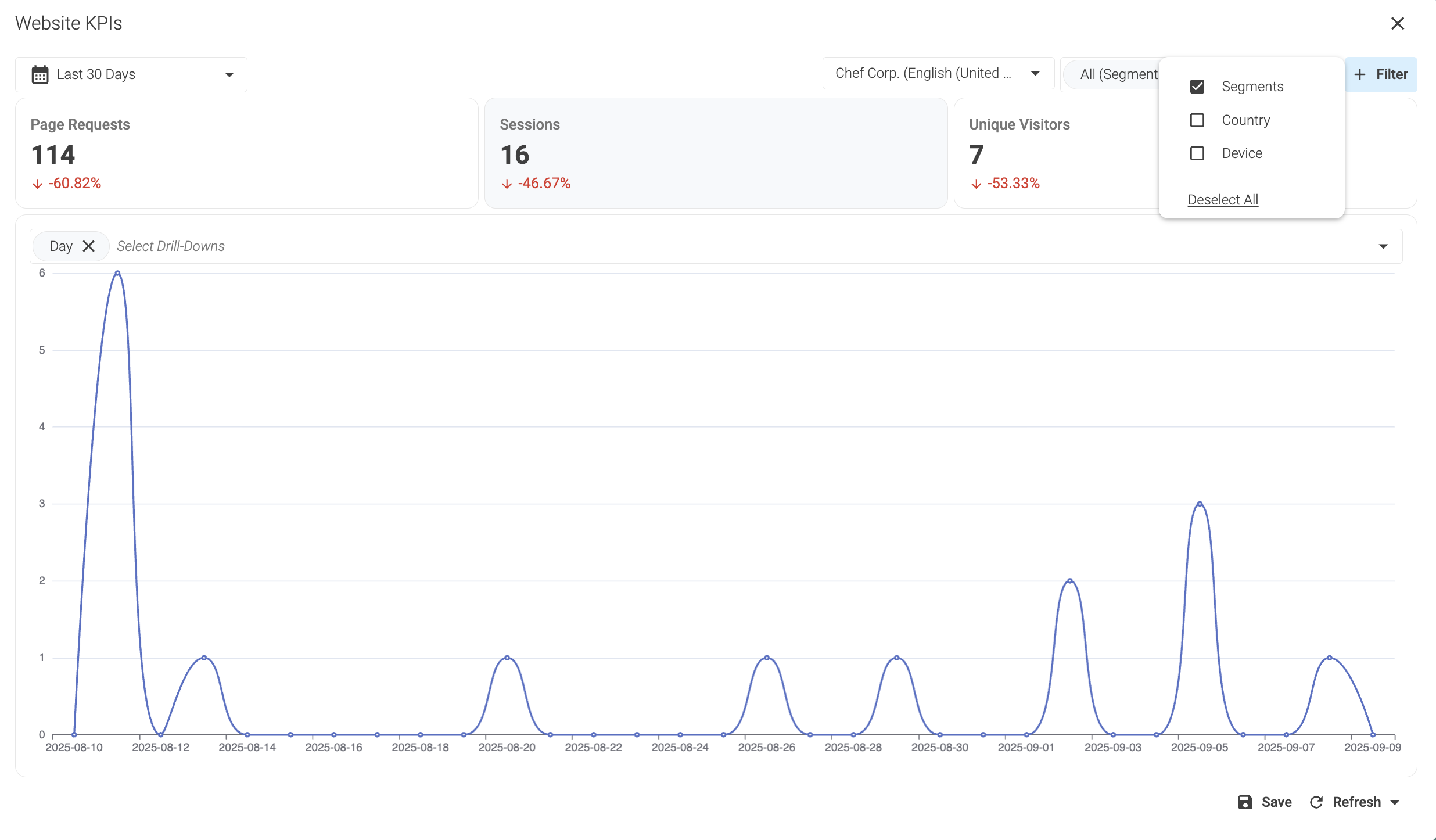
-
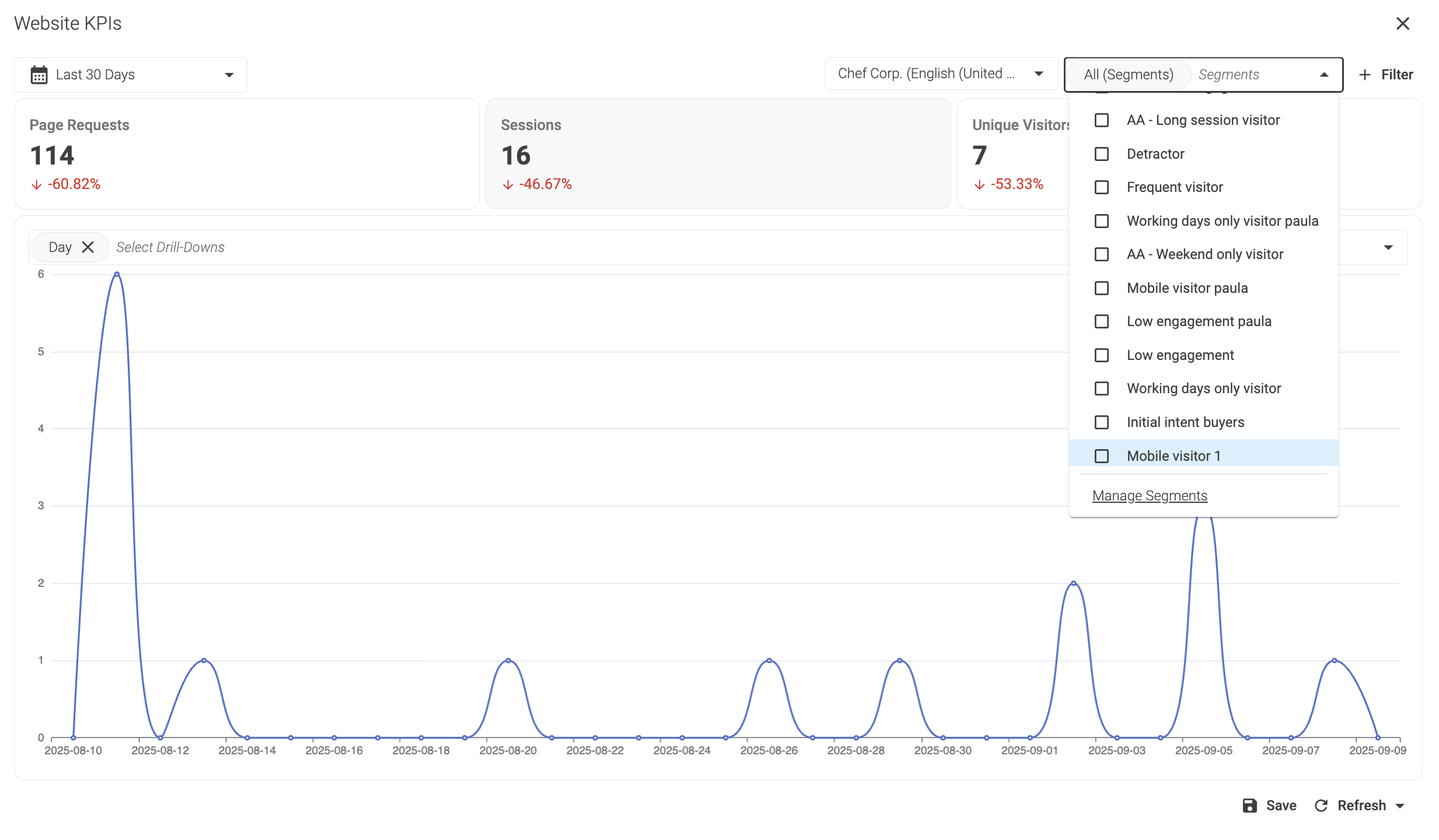
In the bottom of the
Segmentsdropdown menu, select Manage Segments.
2. Add a new segment
-
In the top right corner of the Segments management window, click Add Segment.
-
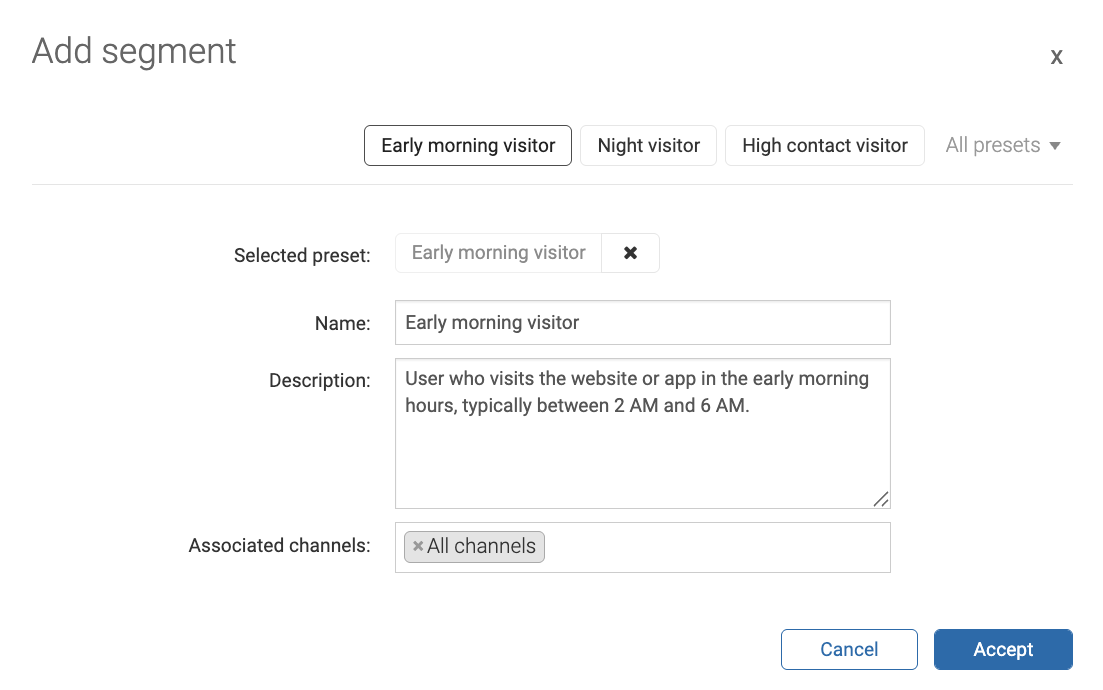
In the Add segment window, click Presets to select a template. For example,
Early morning visitor. -
In the bottom right corner of the Add segment window, click Accept.
-
Adjust the conditions in the Entry rule and Exit rule tabs.
-
In the top right corned of window Edit segment, click save.
Related link: Segment Presets
Result
After clicking Save, you can return to the tab with Content Studio and reload.
The created segment will appear in the list of available segments.
You can now target the segment in campaigns.
For information on how to create and manage campaigns, visit the following links:
Note that you need to register.