CoreMedia Content Cloud v13 Upgrade Guide / Version 2512.0
Table Of ContentsBefore upgrading to CoreMedia Content Cloud v13, ensure that your system and development environment meets the following prerequisites. CoreMedia strongly recommends starting the upgrade from the latest version of CoreMedia Content Cloud v12. This chapter lists the required software and access prerequisites needed to build and upgrade the workspace.
The following tools must be installed before starting the upgrade:
Git >= 2.25.0
The guide uses the Git command restore which is only available since Git version 2.25.0.
NodeJS 24.x
In order to compile the Studio Client workspace and all frontend related components, you need to install NodeJS in the latest version 20.x.
pnpm 10.16.0
In order to compile the Studio Client workspace and all frontend related components, you need to install pnpm as the package manager. Simply call
npm install -g pnpm@10.16.0on the commandline.
Configuring Access to CoreMedia npm Repository
CoreMedia Content Cloud v13 uses a CoreMedia-provided npm registry for distributing CoreMedia npm packages. To access this registry, you must configure authentication using a Nexus access token.
Prerequisites:
Access to the CoreMedia Nexus at https://repository.coremedia.com
Creating an Access Token
Log into Nexus at https://repository.coremedia.com with your credentials
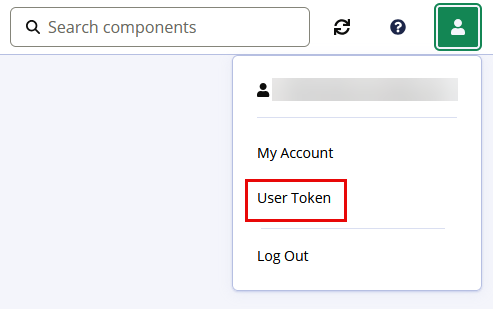
Click in the user menu at the top right.
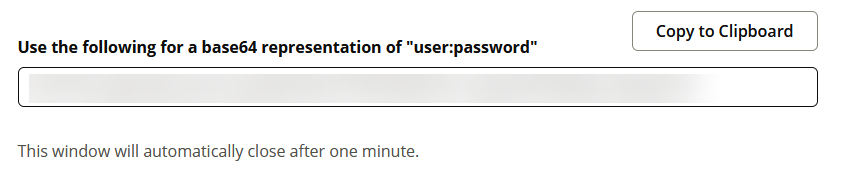
Click and re-enter your password in the dialog that opens up.
Copy the last entry to the clipboard.
Use the following pnmp commands to set up the registry and authentication in the
.npmrcfile. Replace the base64 encoded string in the last command, with the one you copied from Nexus :pnpm config set "@coremedia:registry" "https://repository.coremedia.com/nexus/repository/coremedia-npm/" pnpm config set "@jangaroo:registry" "https://repository.coremedia.com/nexus/repository/coremedia-npm/" pnpm config set "//repository.coremedia.com/nexus/repository/coremedia-npm/:_auth" hjFtZUBjb5K4bWVkaWEuY29tOmFkbWluNJKz