


Studio User Manual / Version 2512.1
Table Of ContentsWhen you have derived a site, all content of the derived site is expected to be updated when the respective master content item is changed. For example, when there is a new version of the master content item, a derived content item will be marked as not up-to-date and it might be included in localization workflows when it is referenced by other content items.
If you do not want to keep updating a derived content item, you can disable the updates from its master:
Open the content and, in the Localization tab, check the Disable updates from master checkbox.
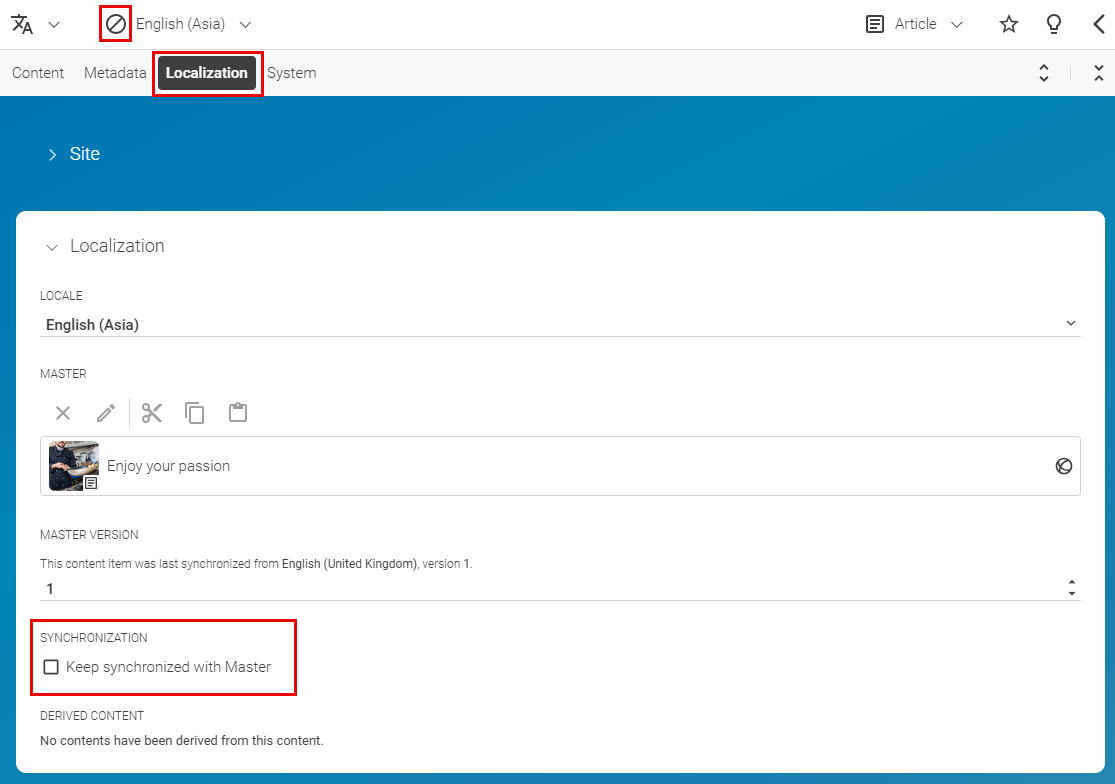
From now on, changes in the master content will not be propagated to this content in the derived site. This is indicated by the marked icon in the Form toolbar.

Note
Automatically merging can also be deactivated for selected properties in the content type model by your
developer using the extensions:automerge attribute.
So, there might be properties in your content which will not be automatically merged even when
Disable updates from master is unchecked.
