 What you will learn
- Learn how to create a new internal link
- Learn how to create a new external link
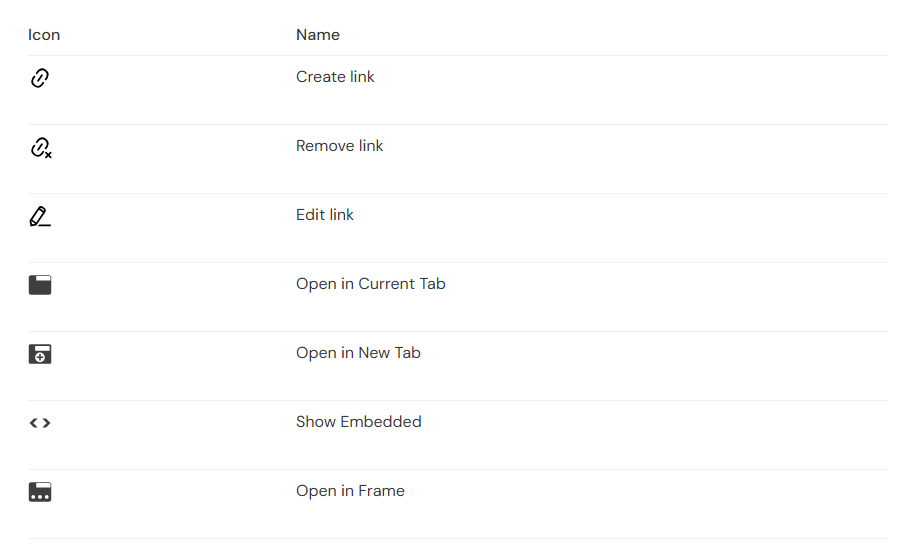
- Get to know all icons for link editing
 Prerequisites
- A working Login to CoreMedia Studio
 Target Audience
This guide is for Editors.
Table of Contents
Introduction
CoreMedia Studio’s rich text fields offer a wide range of formatting options — including tables, media, and links to both external websites and internal content items in the repository.
This guide shows you how to create, edit, and delete links in just a few steps.
Working With Links
The link toolbar gives you quick access to all link actions. The icons shown below are available whenever you select a link in a rich text field.
Figure 1. Icons for Link Editing
Creating Links
-
Select the word you want to use as link text, or place your cursor at the position where the link should appear.
-
Click the Link icon (1).
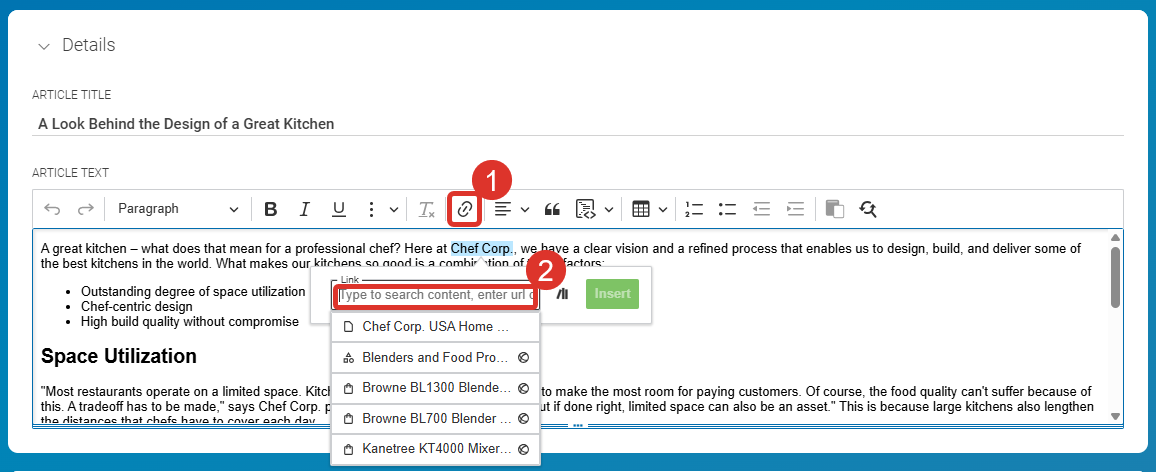 Figure 2. Create External Link
 -
Enter the link data depending on the link type:
-
External link: Type or paste the URL into the Link field (2).
-
Internal link: Drag a CoreMedia content item directly into the Link field.
-
-
Click the Save icon (green checkmark) to confirm. The link is now created.

Editing Links
-
Select the link. The contextual toolbar opens.
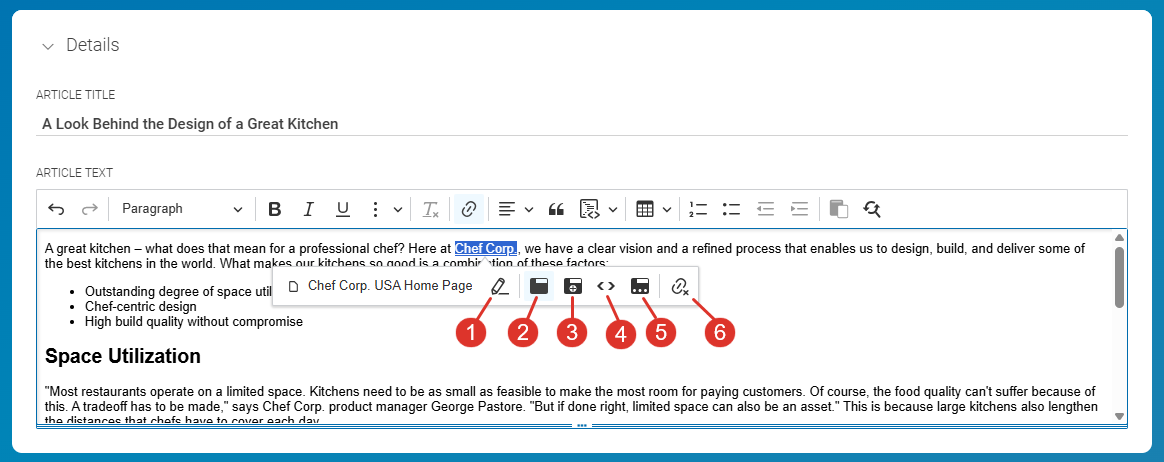 Figure 3. Link Editing Toolbar
 -
Use the toolbar icons to modify the link:
-
Click the Edit icon (1) to change the link target.
-
Click icons (2)–(5) to set how the link opens:
-
Open in Current Tab – the link target replaces the current page.
-
Open in New Tab – the link target opens in a new browser tab.
-
Show Embedded – the link target is displayed within the current page.
-
Open in Frame – the link target opens in a specific frame. You must enter the frame name in the Target field.
-
-
-
Click anywhere in Studio to close the toolbar when you are done.

Deleting Links
-
Select the link. The contextual toolbar opens.
-
Click the Delete Link icon (6).
The link is removed, but your link text remains unchanged.
Summary
Using the link toolbar in CoreMedia Studio’s rich text editor, you can create links to external URLs or internal content, control how they open, and remove them at any time — without affecting the surrounding text.
Is this page useful?