Creating Variants
Learn how to create a variant from an existing content item.
Create a variant to produce an alternative version of an existing content item. The variant is a clone of the baseline that you can modify independently. You can then use the variant for segmentation or A/B testing.
Prerequisites
-
Open a content item that you want to use as the baseline (for example, a
CMArticleorCMChannel).
Steps
-
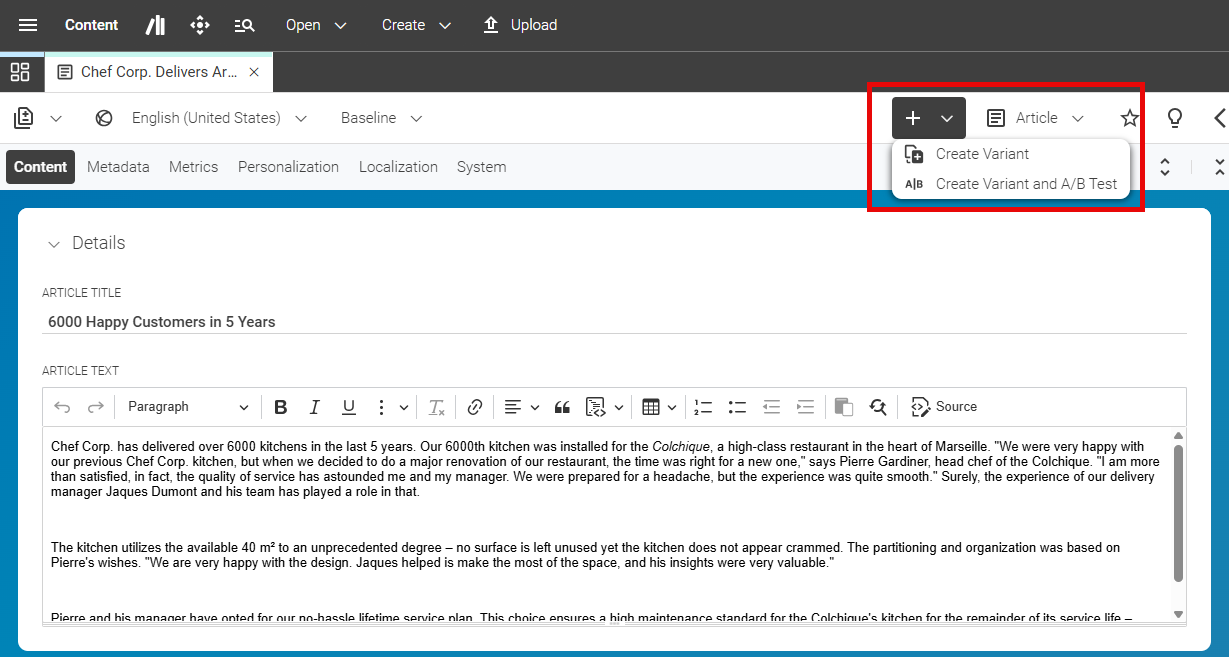
In the toolbar of the content item, open the + menu and select Create Variant. This will automatically create a new variant linked to the baseline content item.
-
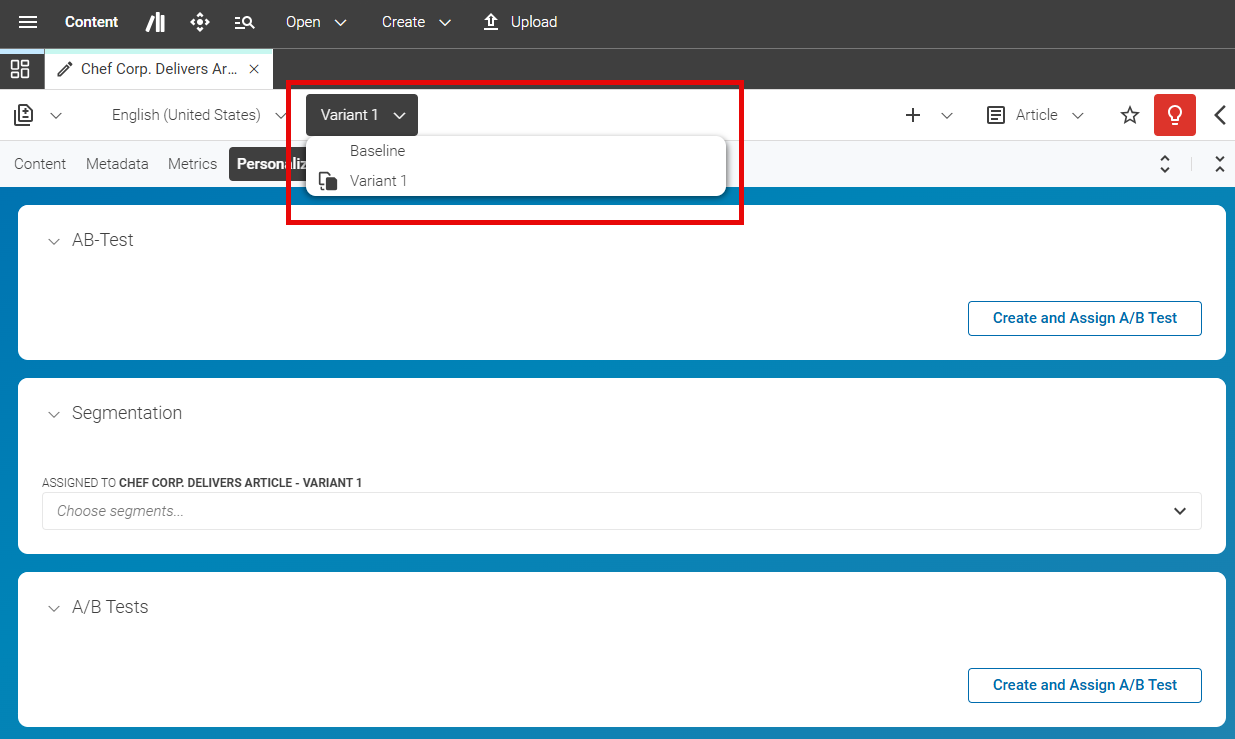
You can switch between the baseline and variants using the Variant Chooser.
-
Modify the variant as needed, like a normal content item.
-
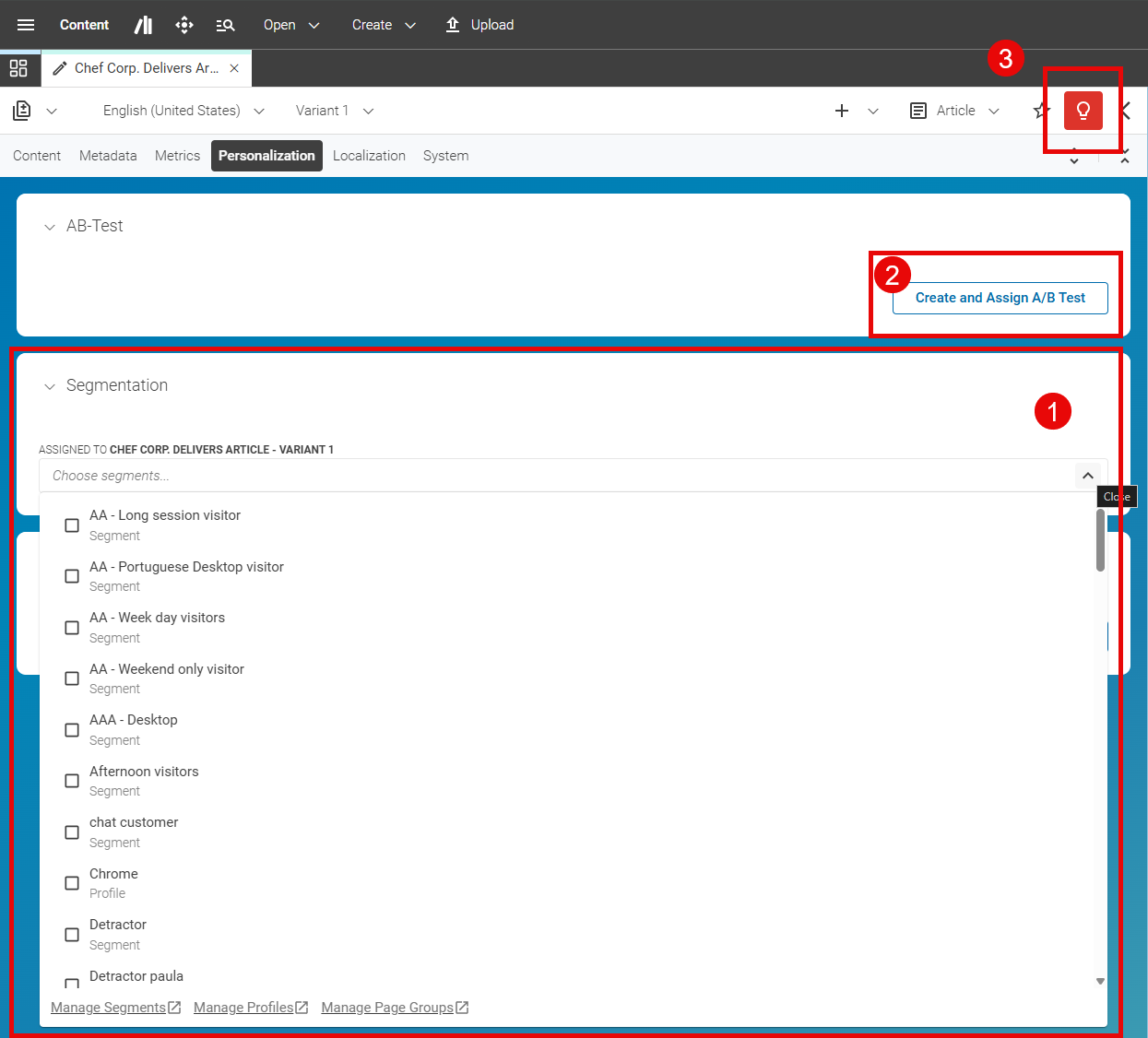
A variant must either have segments assigned (1) or be part of an A/B test (2) to be visible to visitors. You can assign segments in the Personalization tab of the baseline content item, or create an A/B test from the variant. If you do not assign segments or create an A/B test, the validator (3) shows an error.



Result
You have now created a variant from the baseline content item. Since the variant links to the baseline content, there is no change in the status of the baseline content item and no new version is created. However, you need to publish the variant separately if you want it to be visible on the live site. The baseline content item remains unchanged and continues to serve as the default version for visitors who do not match any variant segments or are not included in an A/B test.
Note: The variant is a full content item in its own right. It is linked back to the baseline through a dedicated property. Modifying the variant does not affect the baseline.