Monitoring Leads
Last updated 10 minutes ago
Use the Form2Lead App to monitor leads in Engagement Cloud.
Table of Contents
Prerequisites
-
Ensure the user has:
-
Permissions to use the Contact Center and Analytics Studio (CCAS).
-
Group Supervisor or Manager role.
-
-
Ensure the user is logged in to the CCAS.
TIP: Open the CCAS while following this how-to guide.
Steps
1. Open the Form2Lead app
-
Click the app icon (
 )
in the bottom left corner of the CCAS desktop.
)
in the bottom left corner of the CCAS desktop. -
Scroll down until you see the Contact Center section.
-
Select Form2Lead to open the Form2Lead app.
2. Monitor leads
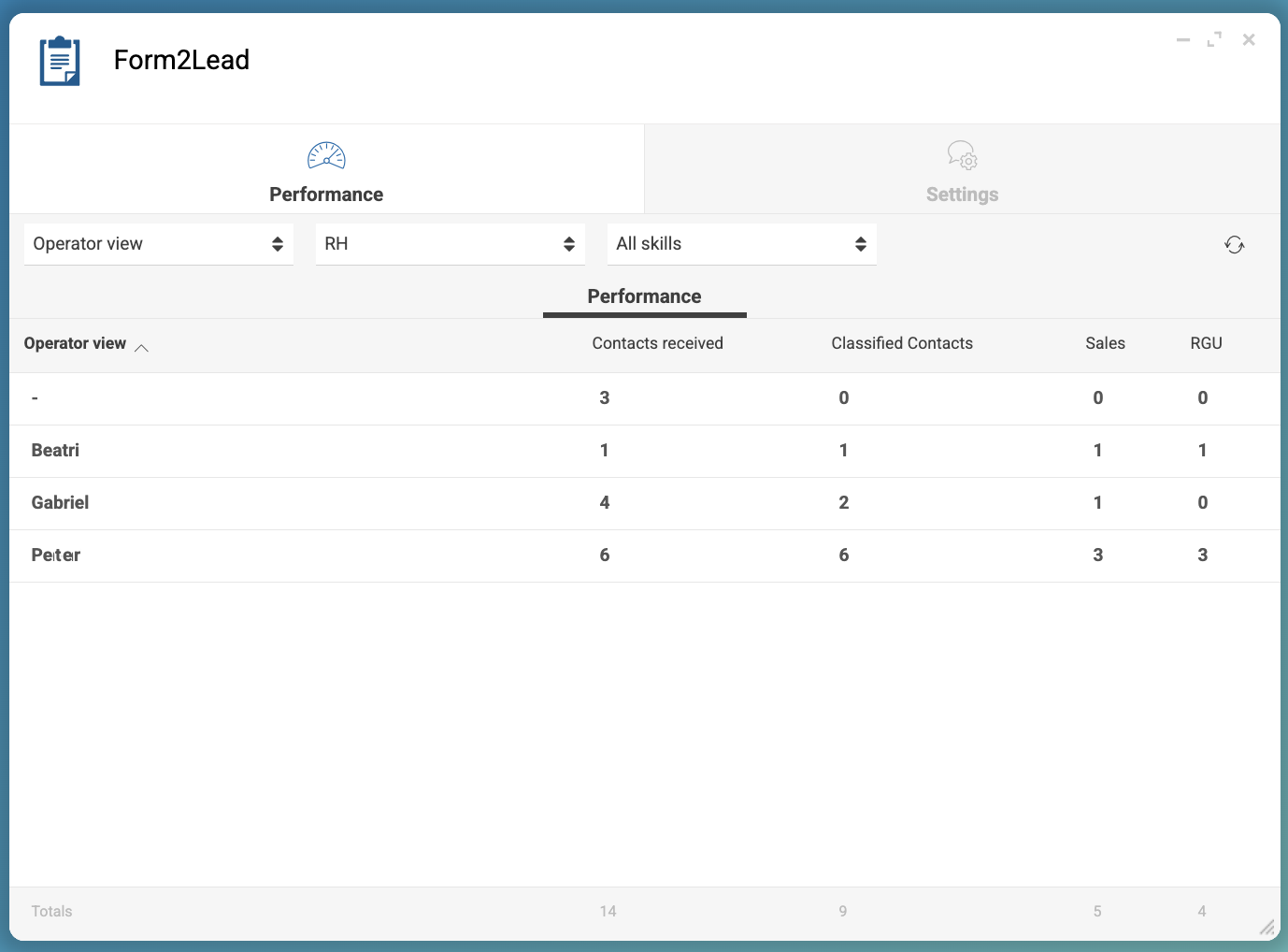
In the Form2Lead window, you can monitor how many contacts operators received and classified, how many of the contacts resulted in sales, and the number of RGUs generated by the contacts.
Reference: Form2Lead App Reference
Is this page useful?