Operator status. One of the following:
-
Available - Inbound
-
Available - Outbound
-
Busy - Inbound
-
Busy - Outbound
-
Pause - Lunch
Note that operator status depends on the configuration of the contact center.
Field list of the performance tab in the Call application.
Studio: Contact Center and Analytics Studio (CCAS)
 > Contact Center > Call
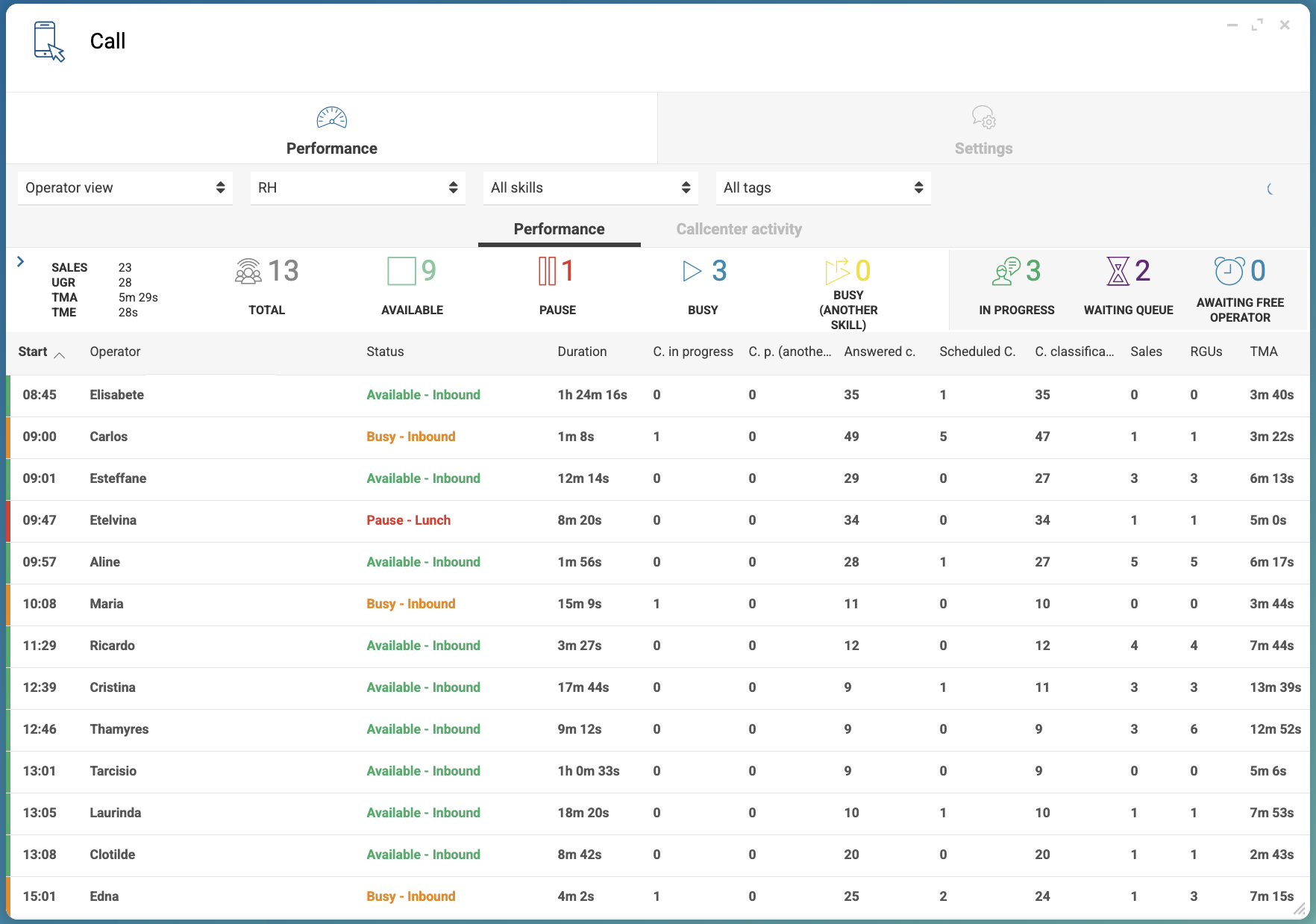
| Filter | Description |
|---|---|
|
Filters the table by operator or by skill. |
|
Filters the table by team. |
|
Filters the table by skill. |
| Column | Description |
|---|---|
Start |
Start date and time of the login. |
Operator |
Name of the operator. |
Status |
Operator status. One of the following:
Note that operator status depends on the configuration of the contact center. |
Duration |
Duration of the operator’s session. |
C. in progress |
Number of calls in progress. |
C. p. (another skill) |
Number of calls in progress on another skill. |
Answered c. |
Number of calls answered. |
Scheduled c. |
Number of scheduled calls. |
C. classified |
Number of classified calls. |
Sales |
Number of calls resulting in sales. |
RGUs |
Number of revenue-generating units. |
TMA |
Time to answer metric. |
| Column | Description |
|---|---|
Skill |
Name of the skill. |
Logged |
Number of logged-in operators. |
Pause |
Number of operators on pause. |
Available |
Number of available operators. |
C. in progress |
Number of calls in progress. |
C. p. (another skill) |
Number of calls in progress on another skill. |
Waiting queue |
Number of calls waiting in the queue. |
Awaiting free operator |
Number of calls waiting for a free operator. |
Answered c. |
Number of calls answered. |
C. classified |
Number of classified calls. |
Sales |
Number of calls resulting in sales. |
RGUs |
Number of revenue-generating units. |