Exporting a Contact List
Export a contact list in Engagement Cloud.
Prerequisites
-
Before you begin, make sure that you have a user with:
-
Permissions to use the Engagement Studio.
-
Role of Manager or Supervisor.
-
-
Sign in to the Engagement Studio.
TIP: Open the Engagement Studio while following this how-to guide.
Steps
1. Open the contact list
-
Select Engagement in the left sidebar of Engagement Studio.
-
Select Contact Lists.
A table with the available contact lists appears. -
Select the contact list you want to export. For example,
Parents.
2. Export the contact list
-
Click Export list.
-
Select the export format from the menu. For example, select CSV.
-
(Optional) Rename the file to something descriptive. For example,
beatrix-potter-contact-list.zip. -
Choose your destination folder. For example, Downloads.
-
Click Save.
Result
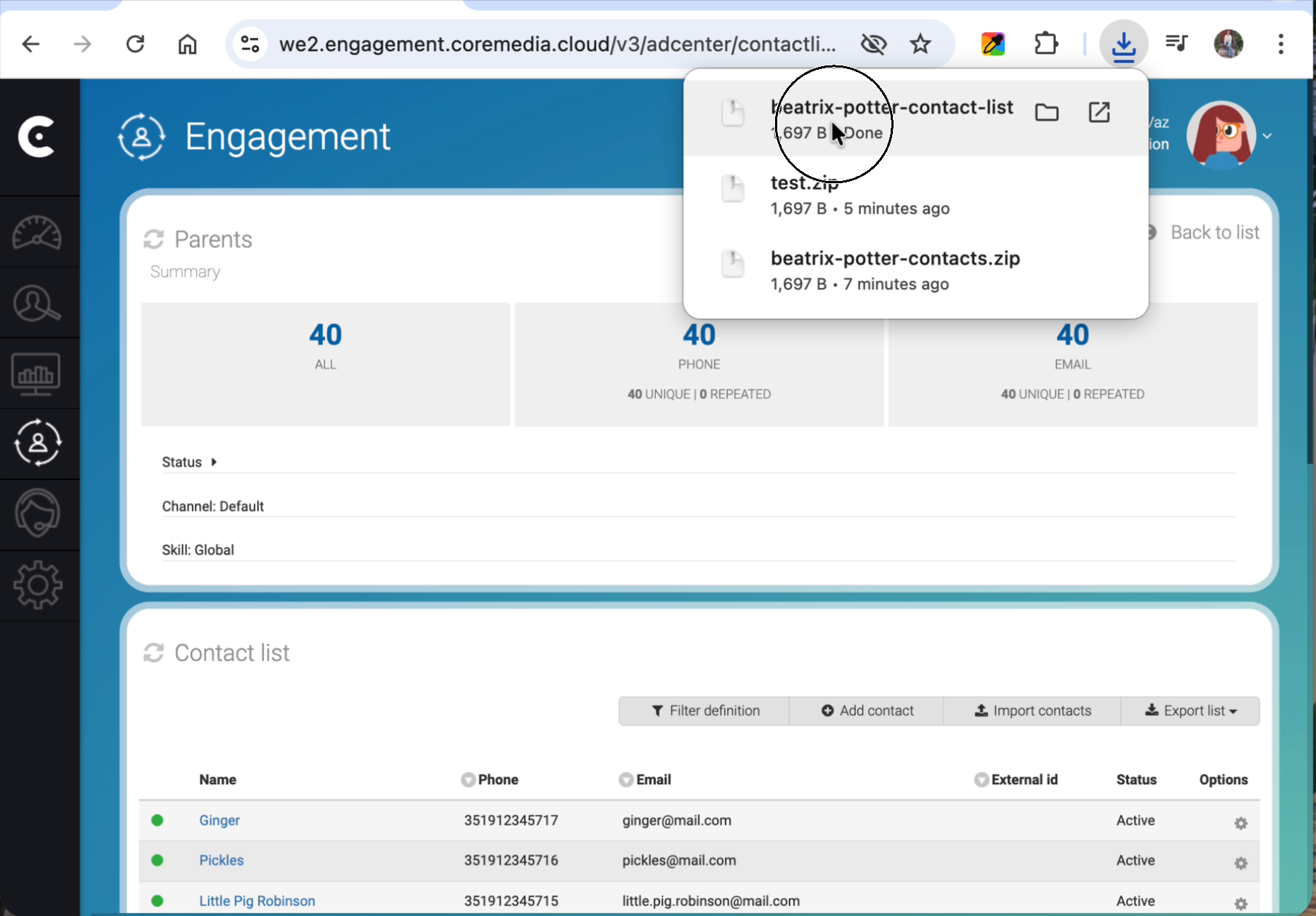
Once the download is complete, locate the file on your computer and
extract the .zip file to reveal the exported file. Open the file in
a text editor (like VS Code) or a spreadsheet app to verify that all
contact details and custom parameters have exported correctly.