Creating a Workflow
Create workflows to automate engagement processes.
Prerequisites
Before you start:
-
Have a user with:
-
Permissions to use the Engagement Studio.
-
Group Supervisor or Manager.
-
-
Have the user logged in to the Engagement Studio.
TIP: Open the Engagement Studio while following this how to guide.
Steps
-
Select Engagement in the left sidebar.
-
Select Workflows.
-
Click ➕ Add in the top right corner of the Workflow list.
-
Enter the workflow information in the Create new workflow window:
-
Name: Enter a name for the workflow. For example,
Registration. -
Workflow scope: Select
Visitor.
-
-
Click Accept in the bottom right corner of the Create new workflow window.
Note that if your webcare has more than one channel defined, you will be able to select the channel in the Webcare Event element when adding it to the workflow as follows.
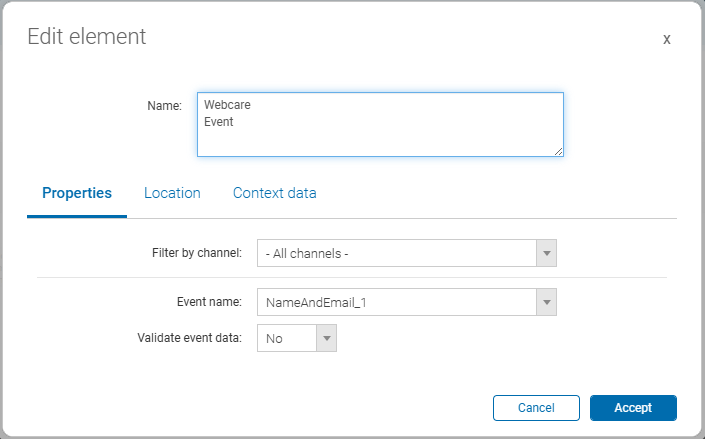
To select the channel in the Webcare Event element, use the Filter by channel dropdown menu.
Result
After you click Accept, the Engagement Studio creates the workflow and opens it in the workflow editor. You can now start adding elements to the workflow to automate your engagement processes.