Workflows
Workflows are automated sequences of tasks that help streamline processes within the CoreMedia Engagement Cloud platform.
What you will learn
After reading the Workflows documentation, you will be able to:
- Understand the purpose and benefits of using workflows.
- Create and configure workflows.
- Activate and deactivate workflows.
Target audience
The Workflows documentation is intended for administrators and customer support teams who need to understand how to automate sequences of tasks within the CoreMedia Engagement Cloud platform.
How it works
Workflows is an application within CoreMedia Engagement Cloud. A workflow is a sequence of automated tasks that ensures work flows efficiently through various stages. It monitors, evaluates, and maintains tasks in real time. Engagement Cloud activates workflow steps according to the events and triggers that you define.
You can find Workflows in Engagement Studio > Engagement > Workflows
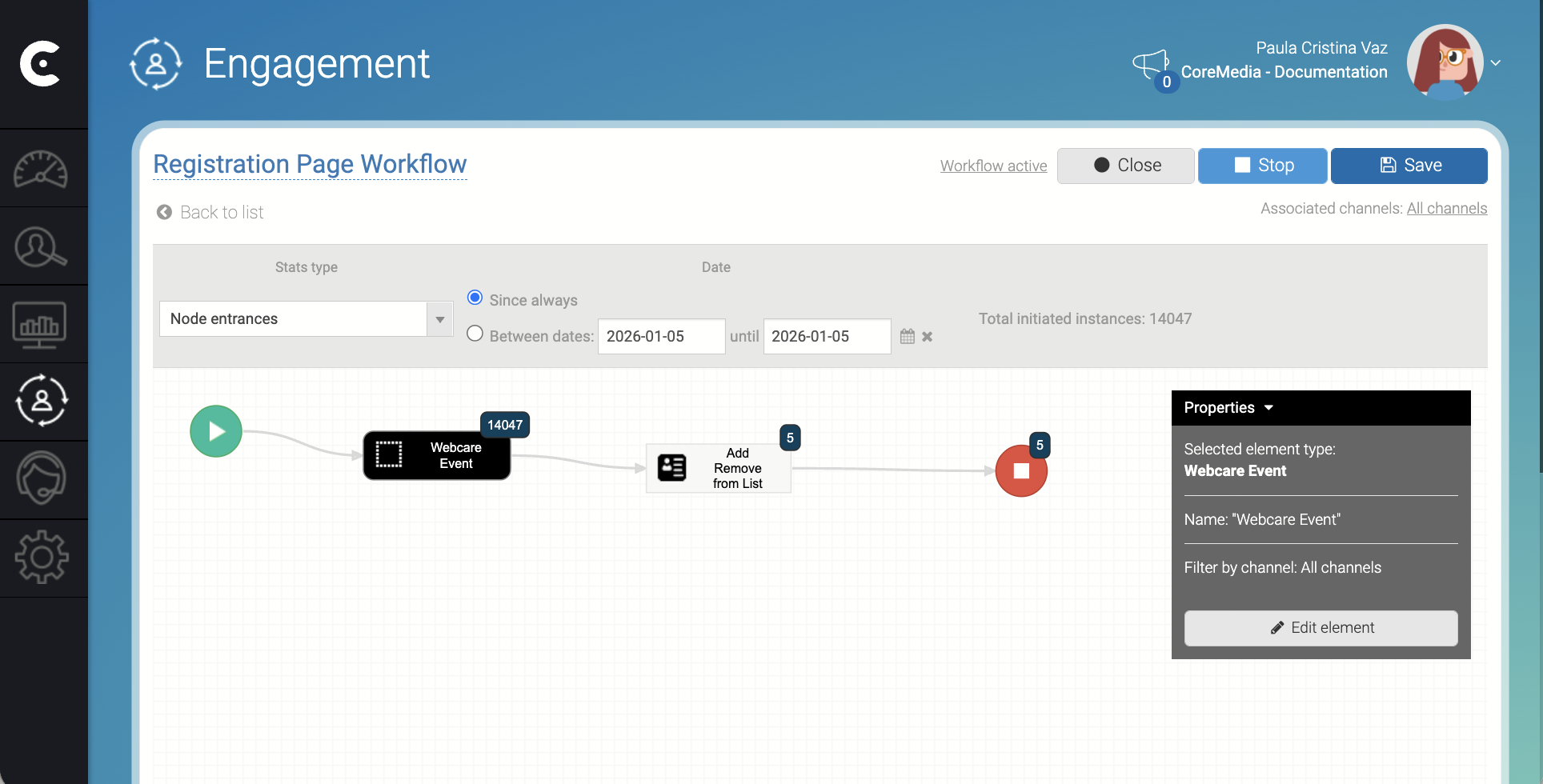
You can create the following types of workflows:
- Visitor - Engagement Cloud triggers a visitor workflow for new visitors or for a visitor action. For example, using a survey.
- Session - Engagement Cloud triggers a session workflow for new sessions. If the same visitor starts multiple sessions, Engagement Cloud triggers multiple instances of a session workflow.
- Outbound and Outbound campaign - Engagement Cloud triggers an outbound workflow for each outbound interaction such as email, SMS, or voice.
- Voice contact - Engagement Cloud triggers a voice contact workflow for each voice contact, either outbound or inbound.
To create and test the workflow in the image above, you first need to create the following elements:
- A survey to collect the name and email of the visitor. The survey should save the name and the email as fields with name
vistor_nameandvisitor_email. - An event with name
Name and Email for the Workflowthat Engagement Cloud triggers when the visitor submits the survey. The event should collect the fieldsVisitor Name (Event)andVisitor Email (Event). - A contact list with name
Visitor Name and Email (Workflows)to store the contacts collected from the survey.
The workflow in the image above works as follows:
| Step | Description |
|---|---|
| 1 | The visitor accesses a page with a predefined survey that collects the name and email of the visitor. |
| 2 | When the visitor submits the survey, the survey triggers an event. The event collects the following fields:
|
| 3 | The Webcare Event element in the workflow handles the event and triggers the workflow. It also collects data from the surveys and sends it to the next element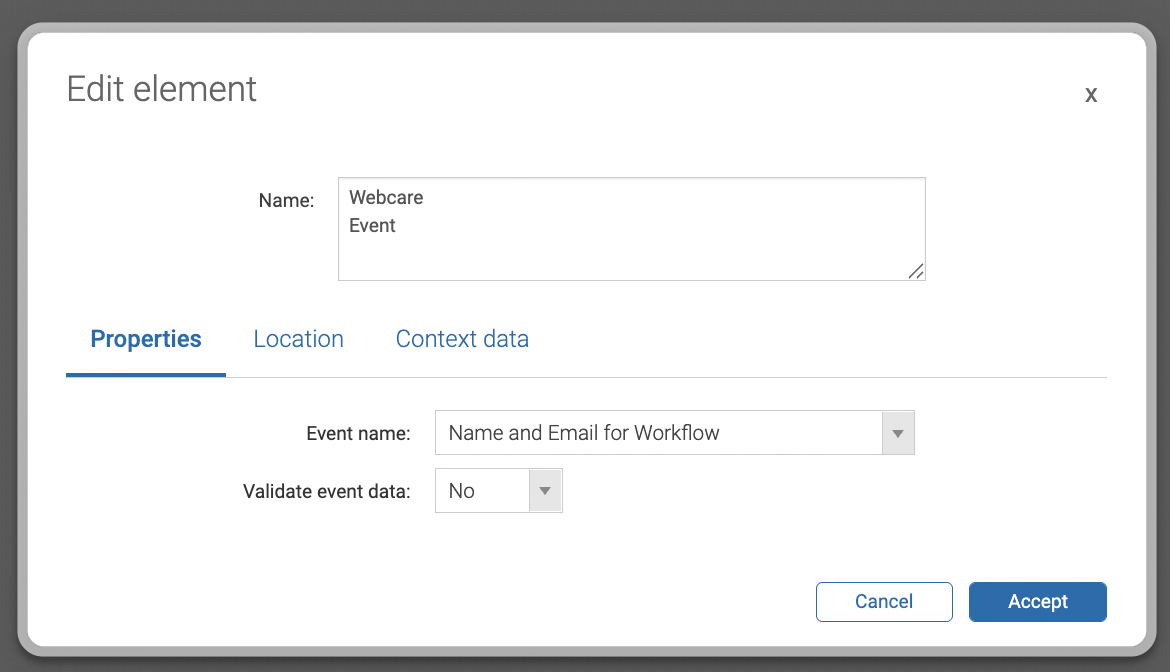 |
| 4 | The Add and Remove from List element adds the name and email of the visitor to a contact list. |
Related links
Workflows Reference2 articles
Screens, and forms reference with detailed information about all the Workflows fields.