Events
Events represent actions or occurrences that happen in Engagement Cloud. Events typically send information from the entity that triggers the event to the entity that waits for the event. You can define your own custom events or use predefined system events in Engagement Cloud.
What you will learn
After reading the Events documentation, you will be able to:
- Understand how events work in Engagement Cloud.
- Create and manage custom events.
- Use system events.
Target audience
Administrators and customer support teams can use the Events documentation to understand how to manage events and provide better service.
How it works
Engagement Cloud uses events to trigger actions and workflows based on specific occurrences within the system. You can define custom events to suit your organization's needs, or choose from a list of predefined system events.
You can define custom events in Engagement Studio > Settings > TAGs and names> Event management
Custom events have one of the following types:
- Generic - Generic purpose events that you can use in different scenarios.
- Conversion - Events that track specific conversion actions, such as form submissions or shopping cart checkouts.
- Onsite campaign related - Events that relate to onsite campaigns, such as pop-ups or banners.
As a use case example, imagine that you define a survey to collect the visitor name and email.
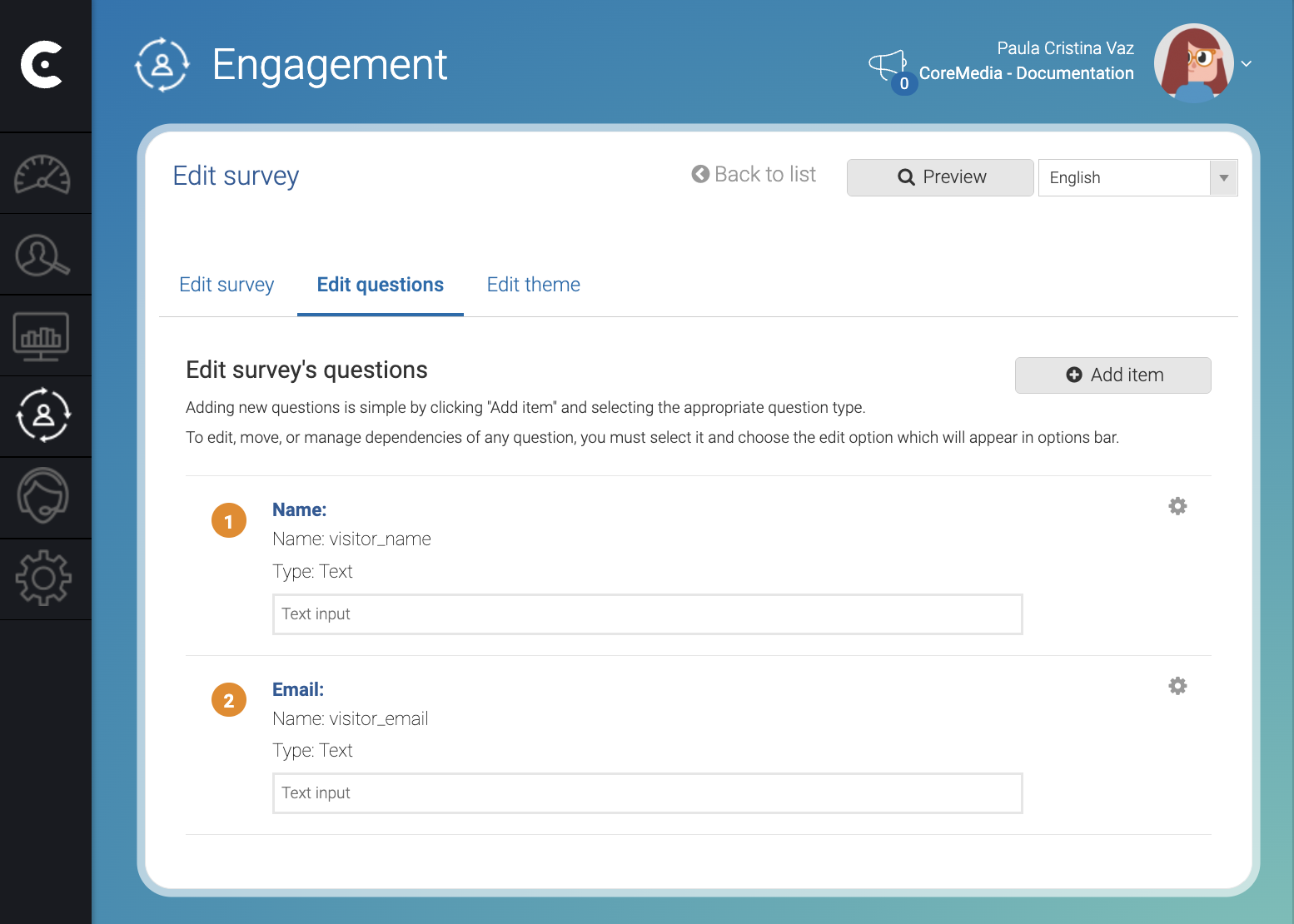
As shown in the image above, the survey contains two variables: visitor_name and visitor_email. The example works as follows:
| Step | Description |
|---|---|
| 1 | The visitor accesses a page with a predefined survey. |
| 2 | The visitor writes the name and email and the survey stores the values in variables: visitor_name and visitor_email. |
| 3 | When the visitor submits, the survey triggers a custom event defined as follows: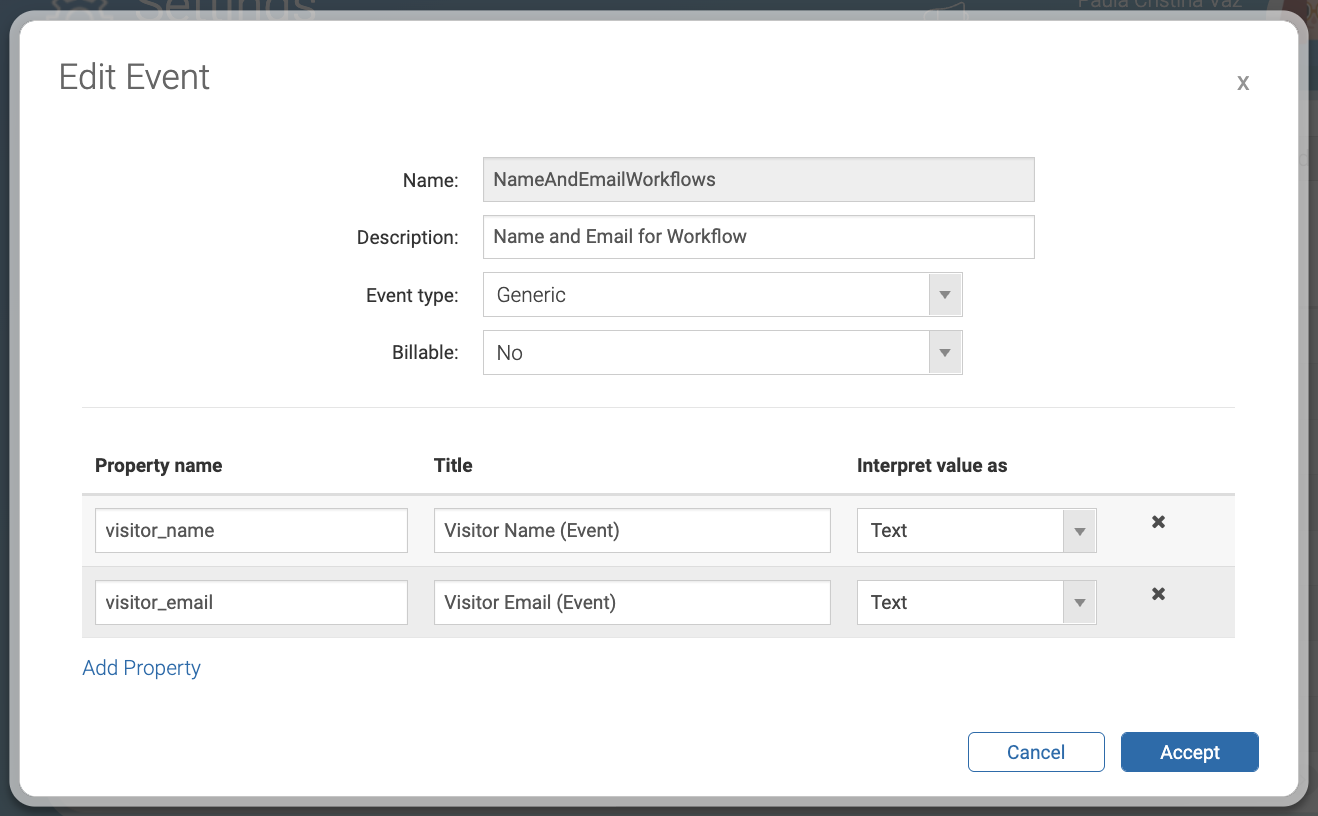 This allows the event to collect the name and the email of the visitor. |
| 4 | You can have, for example, a workflow that catches the event and uses the collected data to add the visitor to a contact list or that sends an email to the visitor acknowledging the submission. |
Related links
Events Reference1 article
Screens, and forms reference with detailed information about all the fields of Events.