


Studio User Manual / Version 2010
Table Of Contents
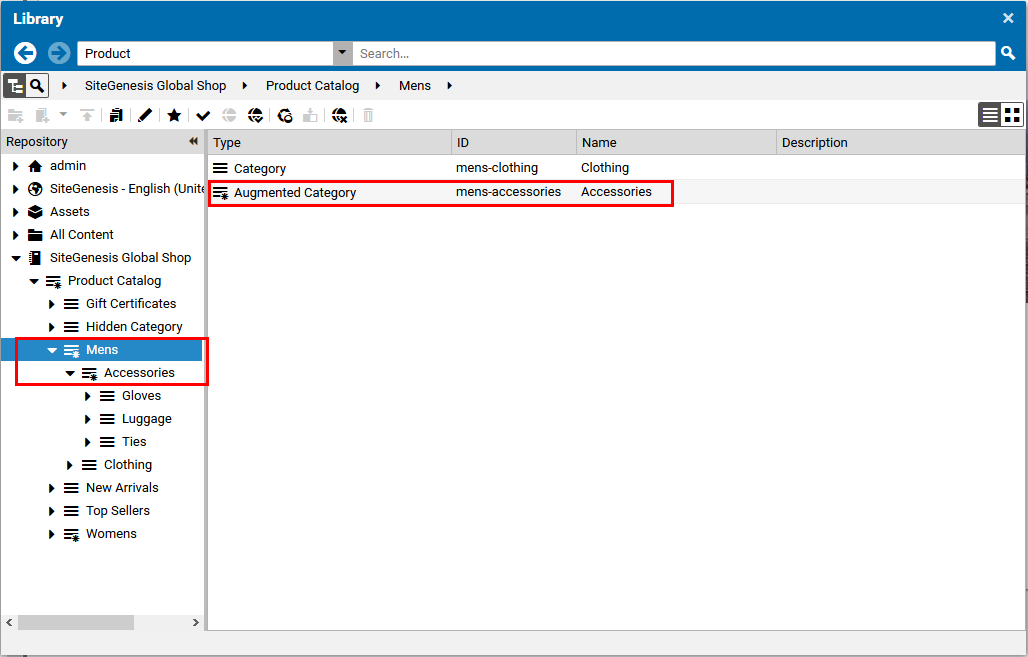
In order to add a category to your CMS site, you have to augment the eCommerce catalog
category. The Augmented Category content is automatically stored below the
Augmentation folder in your site folder. The icon of the eCommerce catalog
category in the Product Catalog in the Library changes in order to indicate
the augmentation.

Note
By default, Augmented Category items are hidden in the content part of the
Library. They are only shown in the Product Catalog. To find the
augmented categories in the content, select Show Products and Categories as
Content in the Preferences window.
From the Library select the category in the eCommerce tree and select Augment Category from the context menu.
The
Augmented Categorycontent item is automatically created.Link the new augmented category to the parent
Pagecontent item. To do so, drag the augmented category item into the Navigation Children field in the Navigation tab of the parentPagecontent item.
Select the parent Page in the Form view, and you will see the new navigation node in the preview.