Outbound SMS Campaigns
Outbound SMS campaigns allow you to reach your customers through SMS. You can create custom outbound SMS campaigns to send personalized messages to your customers and improve engagement.
What you will learn
After reading the Outbound SMS Campaigns documentation, you will be able to:
- Understand how outbound SMS campaigns work in Engagement Cloud.
- Create and manage custom outbound SMS campaigns.
Target audience
Administrators and CoreMedia clients can use the Outbound SMS Campaigns documentation to understand how to create and manage outbound SMS campaigns and provide better service.
How it works
You can define outbound SMS campaigns in Engagement Studio > Engagement > Campaigns
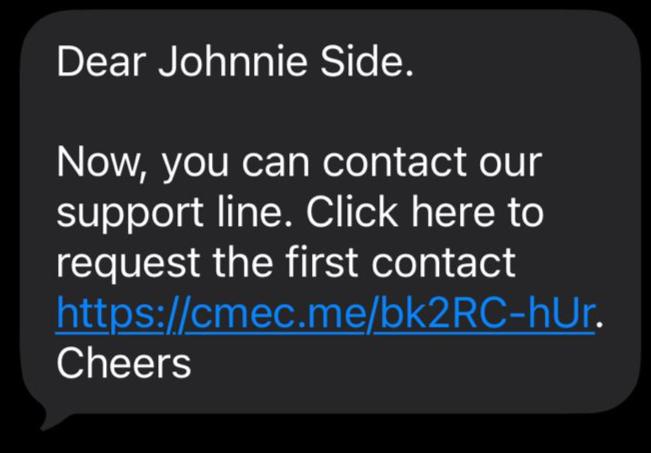
Outbound campaigns can send simple SMS messages or SMS messages with a callback URL.
SMS messages have a character limit of 160 characters and you can personalize messages with information from the contact. For example, you can use the contact's name or address.
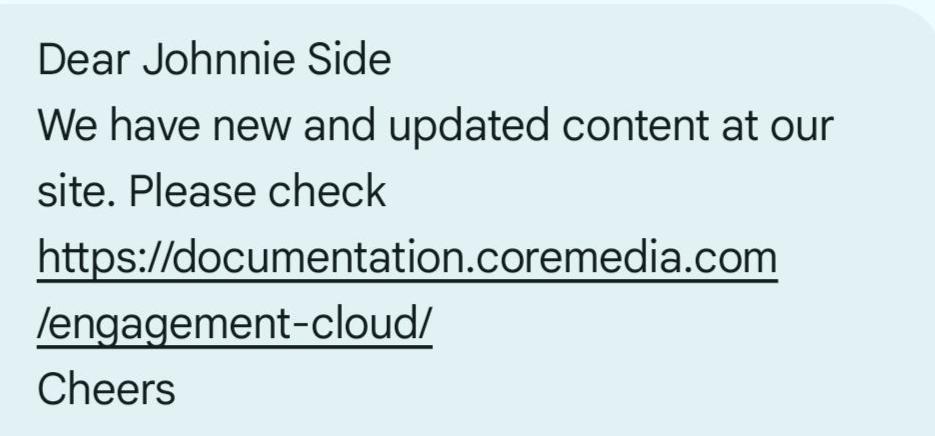
SMS messages with a callback URL have a link where the contact can click to request a voice call from the Call Center. Engagement Cloud generates a unique callback URL for each contact and registers when the contact clicks the link. The Call Center can then call the contact back to provide assistance.
| Step | Description |
|---|---|
| 1 | Create an Offsite campaign with the type Outbound SMS or Outbound SMS with Callback. |
| 2 | Associate a contact list to the campaign. Typically, use a contact list with the same name as the campaign. |
| 3 | Create the SMS message for the outbound SMS campaign. You can use the SMS editor to create the message. |
| 4 | Activate the outbound SMS campaign to send the SMS to contacts in the contact list. |