


Studio User Manual / Version 2512.0
Table Of ContentsOn top-level, some general settings may be applied. Some workflow-specific settings are typically grouped by type. Find more details on these workflow-specific settings in the following sections.
Disable Workflow Validation
In some processes, workflow validation may become unhandy. For example, if you have to deal with a huge set of content items for the first translation or publication to trigger. In these exceptional, cases it may be desirable to turn off the validation completely.
To disable the validation completely, add a Boolean property
disabled at root level of your settings and activate
it.
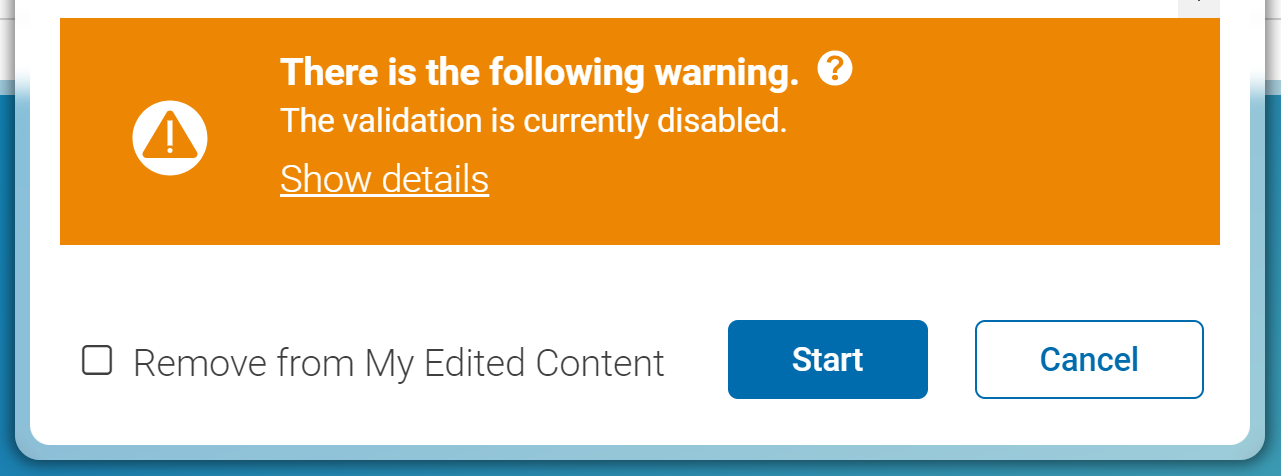
If disabled, all editors get a hint, that the validation is disabled currently, as, for example, when starting workflows as shown in Figure 3.15, “Hint for Disabled Validation”.

Use With Care: Possible Unwanted Side-Effects
The content items that would have automatically been added during validation will not be visible to the editors, and they will not be preprocessed by the Studio which might have an impact on the actual results of the workflow. These content items are no longer automatically checked in (translation / publication) or approved (publication). For publication workflows, also optionally included updated referenced content items will not be published.
Required extended content will still be added by the workflows, but as explained above, different versions might be used or workflows might even fail as no versions are present that fulfil the respective requirements.
Besides that, if you disable validation, editors may overlook highly relevant issues.
