


Studio User Manual / Version 2512.0
Table Of ContentsThe CoreMedia Feedback Hub is a floating window that gathers and displays feedback related to the currently opened content item.
You can open the Feedback Hub by clicking on the
 icon in the upper toolbar of the content item.
Since the window only refers to the currently opened content item,
it disappears as soon as the content item is closed or switched.
Every Feedback Hub feature can be reached by a corresponding icon in the tab bar of the window.
A colored dot indicates if valuable feedback is available for the given feature.
icon in the upper toolbar of the content item.
Since the window only refers to the currently opened content item,
it disappears as soon as the content item is closed or switched.
Every Feedback Hub feature can be reached by a corresponding icon in the tab bar of the window.
A colored dot indicates if valuable feedback is available for the given feature.
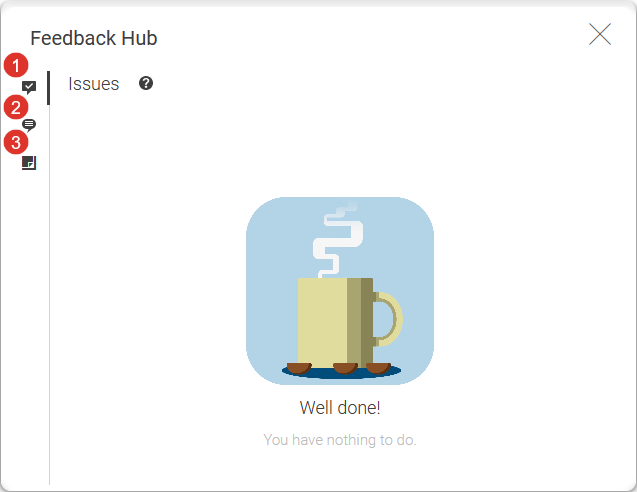
Depending on your CoreMedia system installation, the Feedback Hub contains at least the Issues tab (1), and the Comments tab (2). The Feedback Hub can be extended by your system administrator with additional tabs. The Issues tab shows all validation issues of the content item, while the Comments tab shows all editorial comments for the content item. Both tabs are described in more detail in Section 2.8, “Validators” and Section 4.7.9, “Adding Comments on Content Properties”, respectively.
