Studio User Manual / Version 2512.0
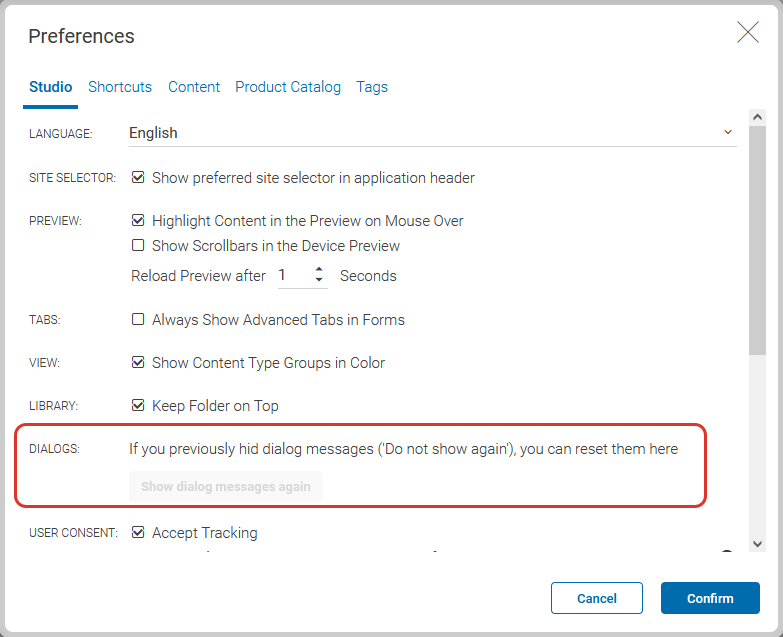
Table Of ContentsStudio shows for some actions a warning (for example, when you deselect a site in the synchronization workflow which contains selected subsites) and also pop-ups. You can deactivate the warning in the dialog for the future.
In order to activate all warnings and pop-ups again, proceed as follows:
Open the User Menu and select .
Select the Studio tab and click the [Show dialog messages again] button.
You can activate pop-up messages accordingly.