Studio User Manual / Version 2512.0
Table Of ContentsTranslation State Dashboard Widget
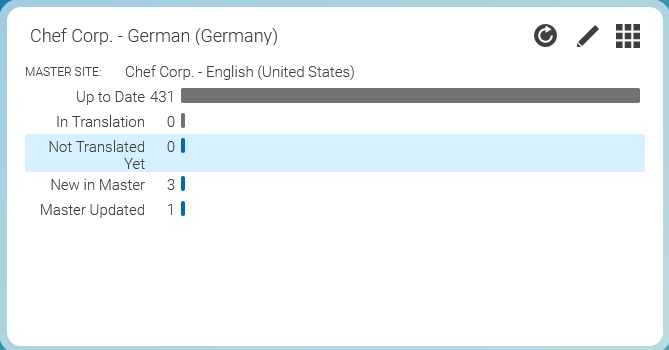
To support you in finding content items in a site that need to be translated, you can use the Translation State Dashboard Widget and the Translation State Library Filter. The dashboard widget gives you an overview of the translation state of the selected site. It displays five different states:
New in Master
Content items that only exist in the master and not in the local site
Master Updated
Content items that have been localized to the local site but in the meantime have a new version in the master site, and are not in translation, yet
Not Translated Yet
Content items that have been copied to the local site when the site was cloned, but have neither been translated nor are currently in translation
In Translation
Content items that are already being translated to the local site in some version
Up to Date
Content items the current versions of which have been translated to the local site
The local site can be configured in the widget's edit mode. For each of the states the number (absolute and relative) of content items in this state are visualized as a bar chart.
Library Translation State Filter
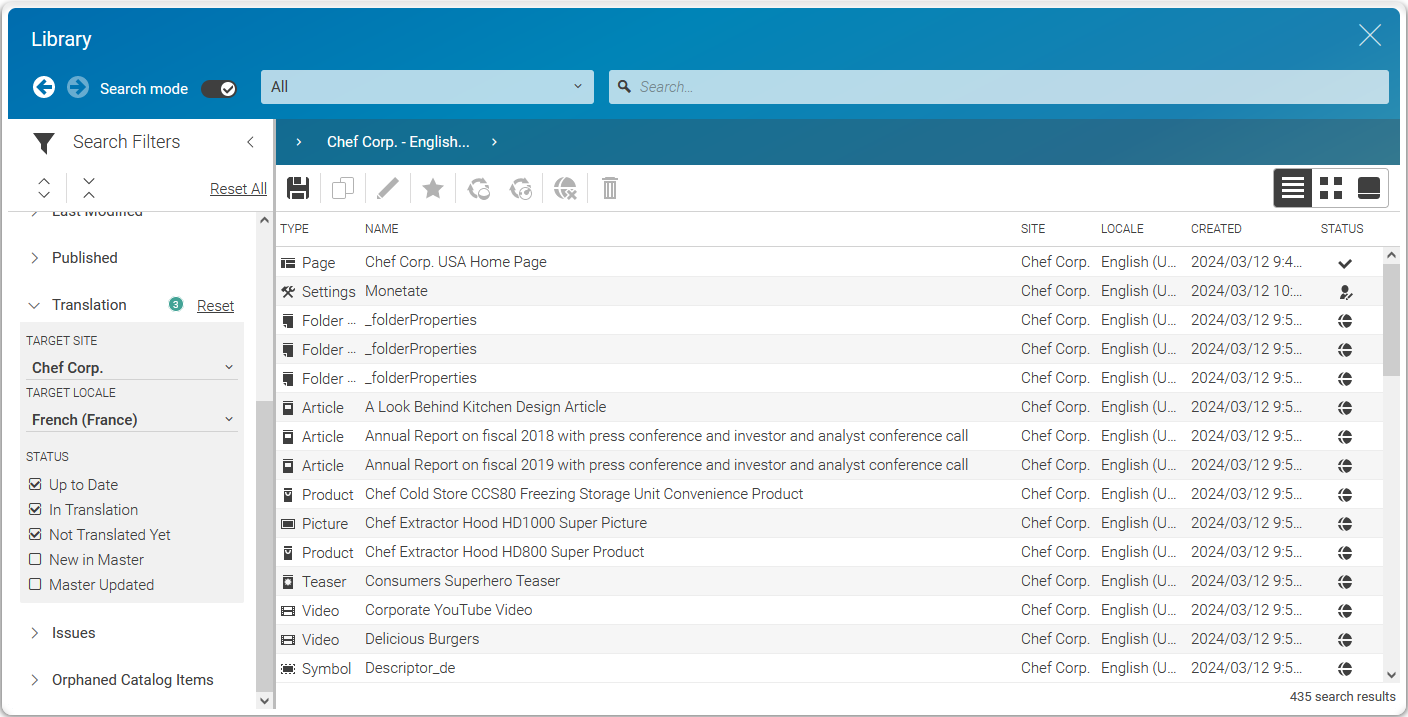
A click on a row of the chart opens the library in search mode with the library filter set to the translation state of the clicked bar. The library then shows the content items in the master site for the selected states, so that you can directly start a translation from here.
Locale Switcher
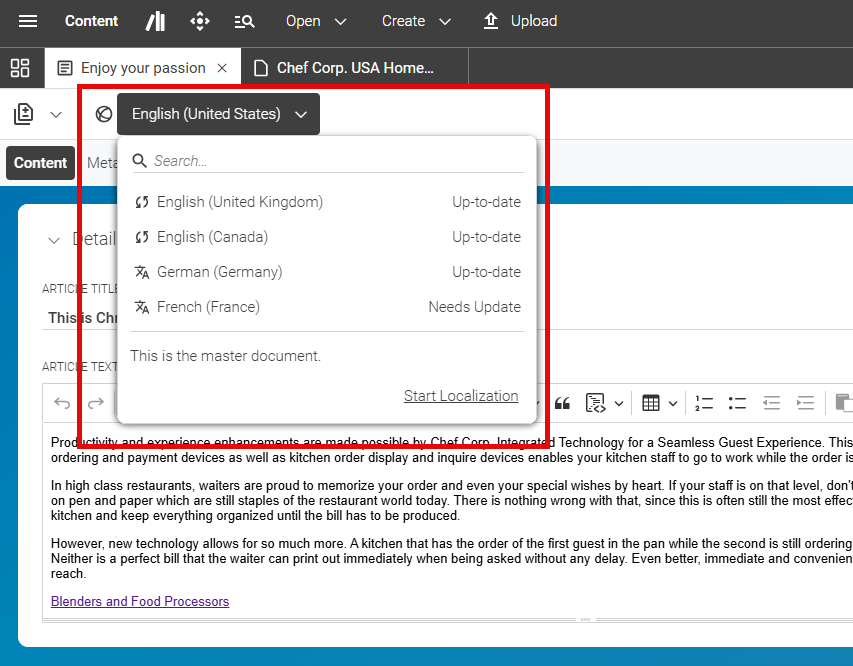
In addition to these overview options, you an also check for each open content item separately, if a translation is needed. Use the locale switcher at the top of the content item form (see ???) for details about the locale switcher). In the next screenshot, you see that the French content item needs translation.