Solution Overview for Business Users / Version 2512.0
Table Of ContentsThe "Saved Prompts" presented in the previous section are an example of prompts that can only be executed in the opened KIO Co-Pilot. They are essentially quick access to prompts that can then be executed interactively again (for example, with a changed context). As already mentioned, each user can expand their own list with prompts that are helpful for their work.
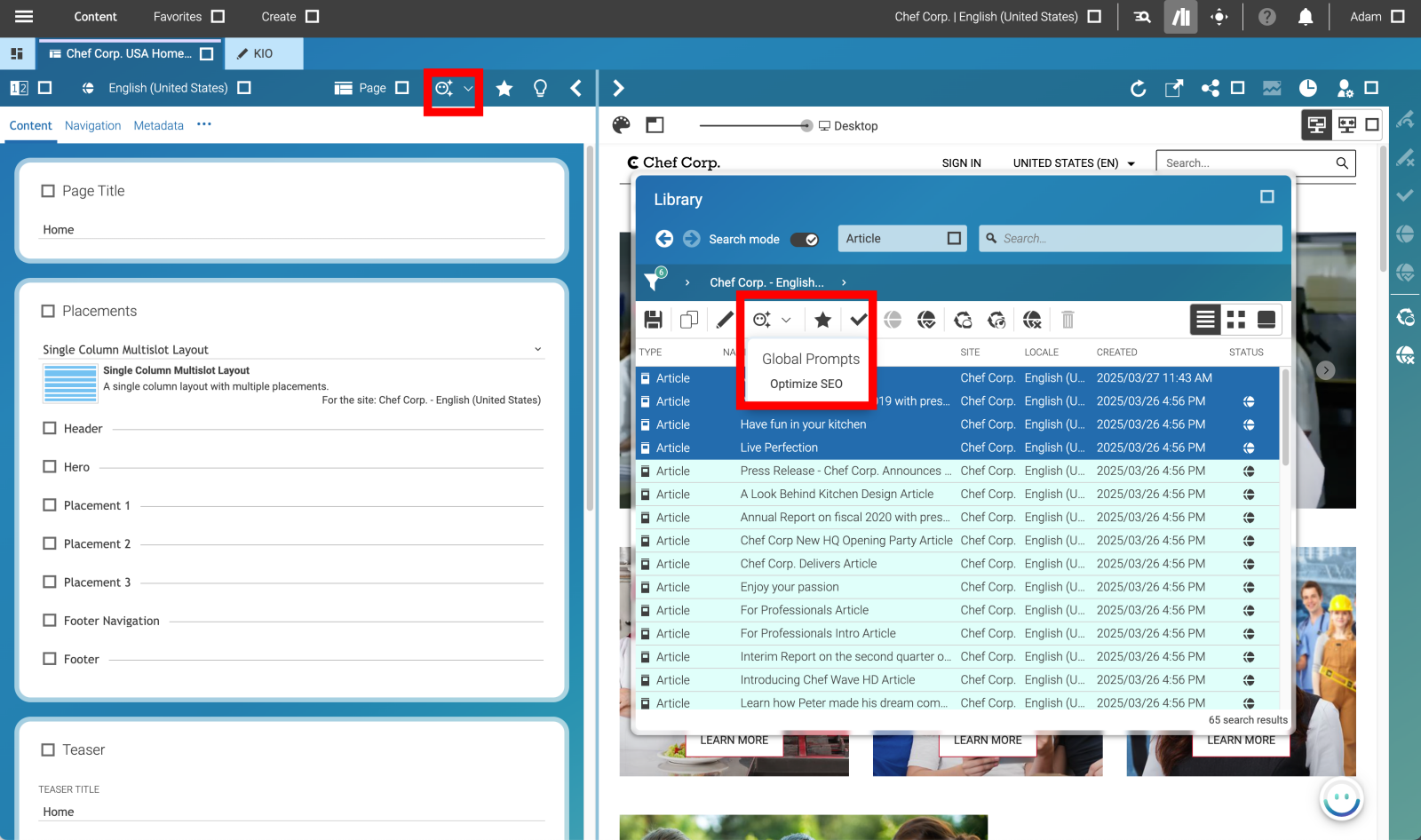
In contrast, you have "Global Prompts" that appear as toolbar items (in the Document Toolbar or/and in the Studio Library). These are prompts intended to work on individual open documents or a list of documents (selected in Studio Library).
These "Global Prompts" work like "Saved Prompts" with the difference that they are started from a Studio toolbar and not in KIO Co-Pilot and that they are accessible for all users. But you can even view them in the chat history of KIO Co-Pilot and follow the execution.
This list of global prompts can be maintained and expanded by a system administrator in the KIO settings. Initially, the list of global prompts is empty, so you will only see grayed out toolbar items.
A good example of such a prompt is "Optimize SEO". This should be applicable to both individual documents and a list of documents (multi selection in Studio Library).
To create such a list of "Global Prompts" add a Settings document named KIO either in the global
Settings folder (/Settings/Options/Settings/) or in a site-specific
Settings folder below your site folder. The following figure shows the structure of the Settings document.
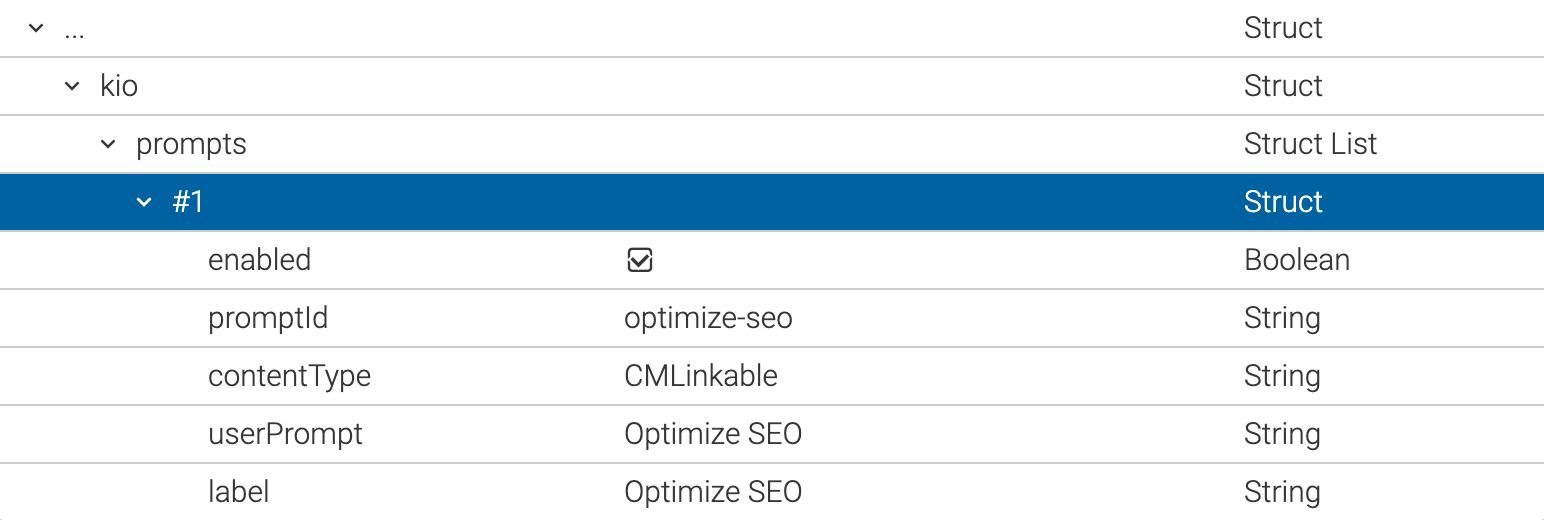
The contentType value specifies which content type this prompt should be displayed for.
The userPrompt defines the actual prompt sent to KIO.
The label is just the display name in the toolbar item.
As a result, you will get a toolbar item in the Document toolbar (if you have opened a document of type Linkable in a tab) or in the Studio Library (if you have only selected documents of the Linkable type).