


Solution Overview for Business Users / Version 2512.0
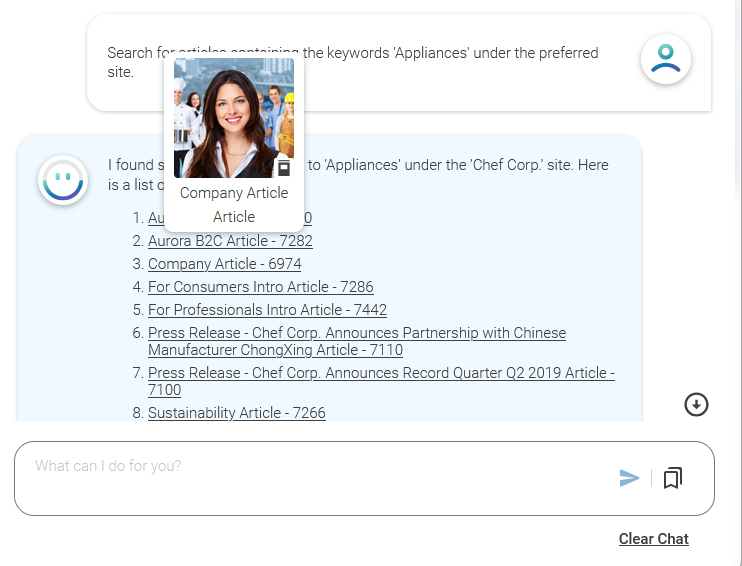
Table Of ContentsFor some prompts (for example, "Search for articles containing the keyword 'Appliances' under the preferred site.") you will get links to content items or folders in KIO's answer. KIO validates the links. If a link is valid, you can click the link to open the content or folder in Studio. If you hover over the link, you will see a thumbnail of the content, so that you have a better idea, what the content contains. The thumbnail will either show an image, if present in the content, or the content type icon. It also shows the name and type of the content item.
If a link is not valid (missing permissions, content is deleted etc.) it will be shown as crossed out. The thumbnail will also show, that the content is not available.
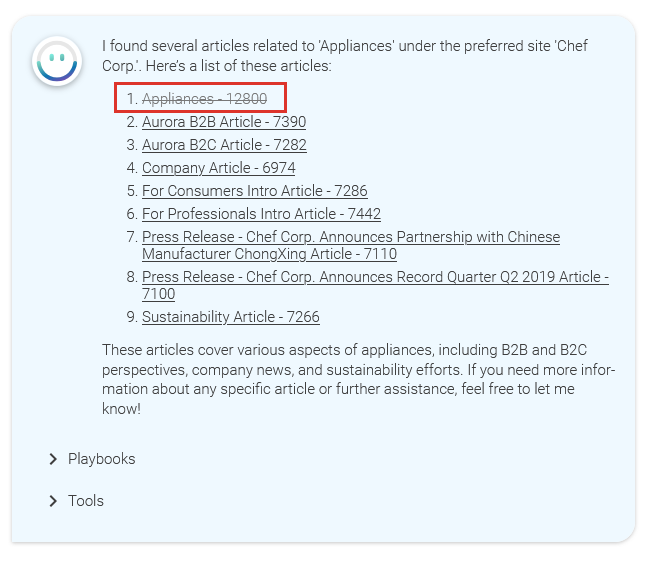
KIO keeps track of the links it displays in its answers. This means that if a content item included in an answer gets unavailable in the meantime or vice versa, you will see the new state, when opening KIO again.
