Solution Overview for Business Users / Version 2506.0
Table Of ContentsThe Workflow App is a stand-alone application in which you manage your workflows. You start the workflows from the Control Room in Studio but afterwards, you will manage the workflows in the Workflow App.
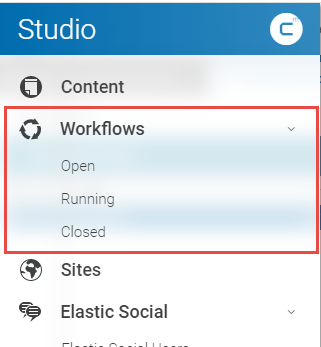
Figure 6.2, “ Workflow app main view ” shows the Workflow App in the overview. You see one open workflow with some detail information.
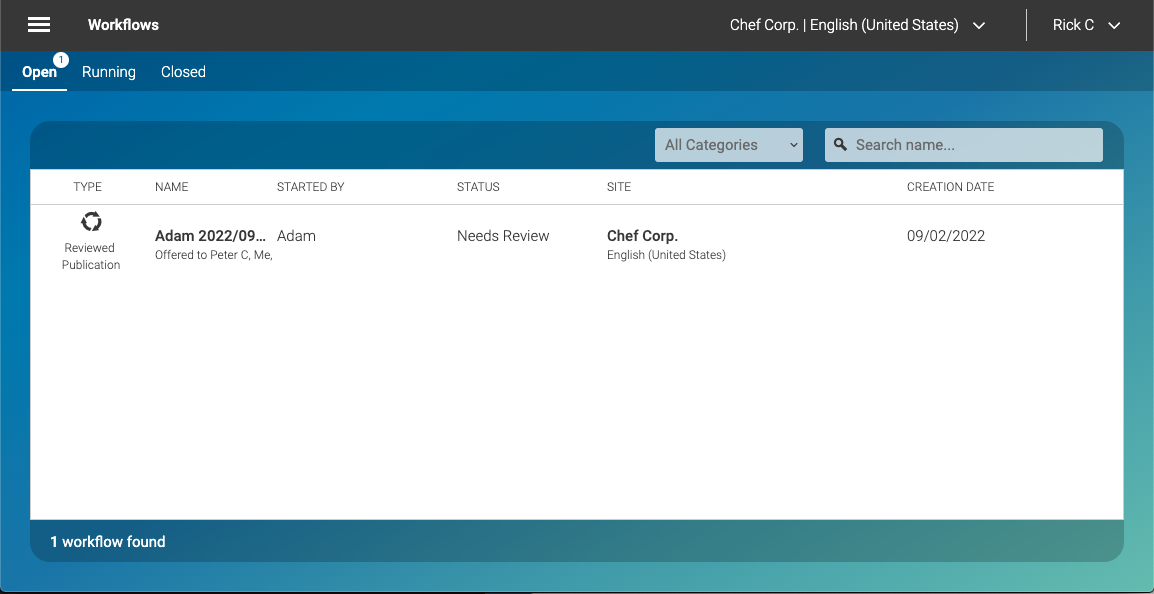
In this view, you get an overview of all open, running or closed workflows. You can search for workflow names, by using the search field in the top right corner. In order to search for a workflow, you will have to submit your search by pressing <ENTER> on your keyboard. You can also right-click on a workflow and either select or from the context menu.
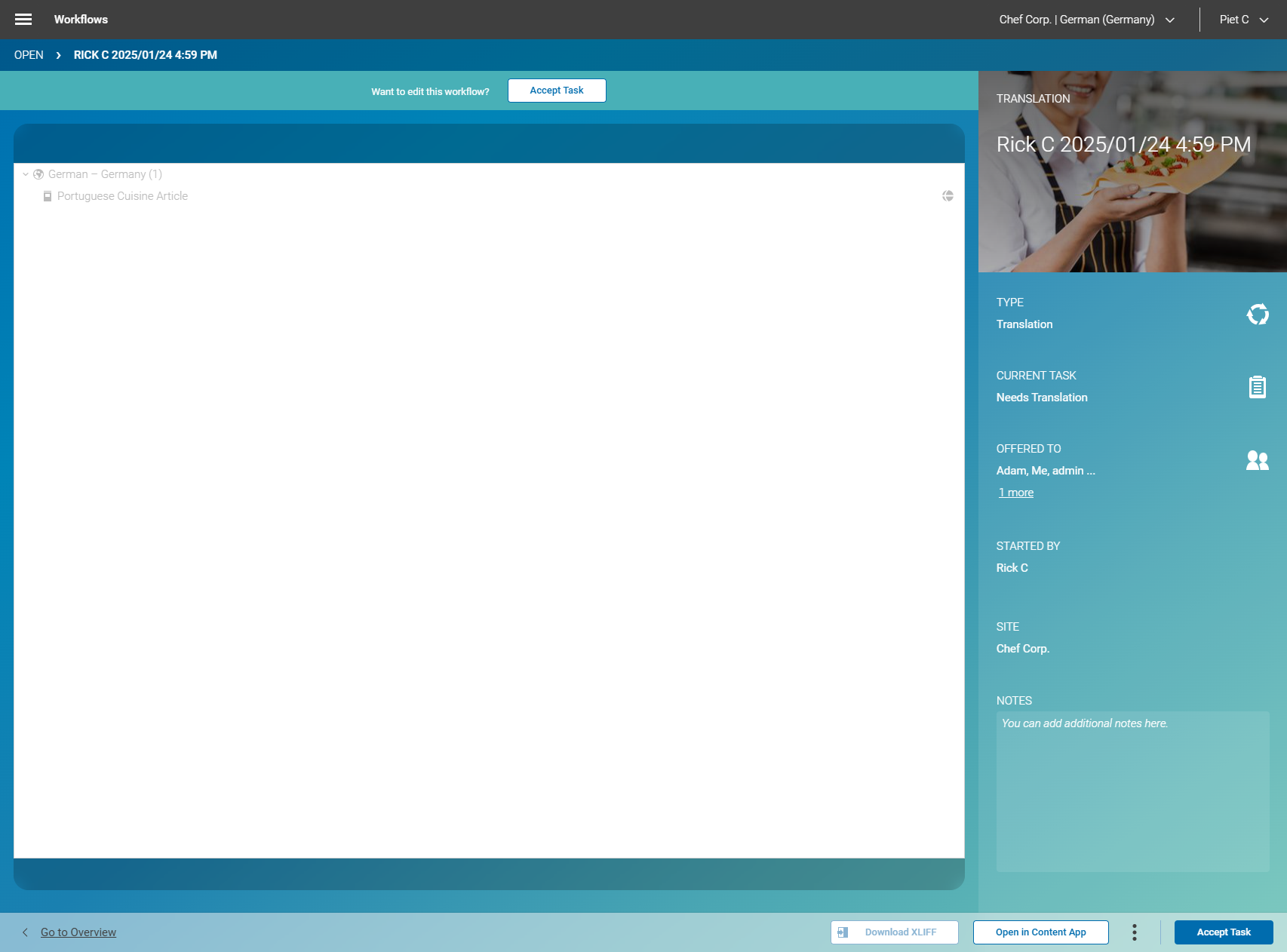
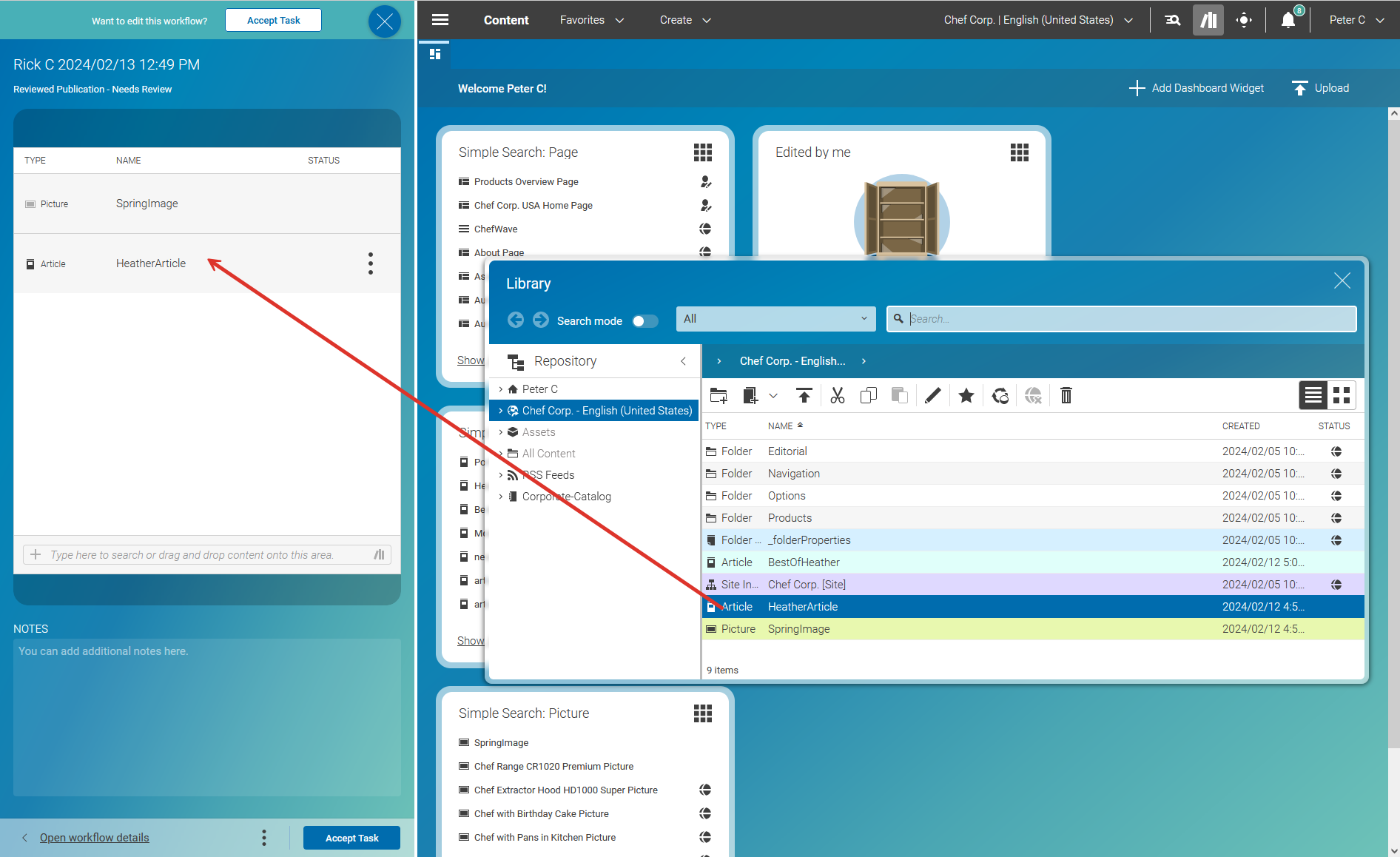
In an opened workflow, you can, for example, open the included content in the Content App of Studio. If you do so, then the Workflow App opens together with the Content App in a split-screen mode.