


Solution Overview for Business Users / Version 2506.0
Table Of ContentsThe integration of Monetate - a global leader in personalization software for customer facing brands who has rich AI and machine learning capabilities - is the latest addition to CoreMedia's personalisation engine. Testing and segmentation, which are two major aspects for optimizing content, have thus become much simpler and more intuitive.
Two major solutions of the Monetate platform were integrated in CoreMedia Studio: Segments and Experiences.
Segments
Let’s assume, you run an online store for kitchen supplies and you have mainly two categories of customers: professional cooks and home cooks. The former are probably interested in products for the professional kitchen and the latter are more likely to buy something for daily use at home. It therefore is not sufficient to offer the same content to each of them. You will only reach a fraction of them, which considerably can reduce the success of the shop.
This is where segments come in. They help you to offer the right content to the right customers. The CoreMedia personalisation engine enables editors to use segments that were defined in Monetate to tailor the shopping experiences to their customers needs.
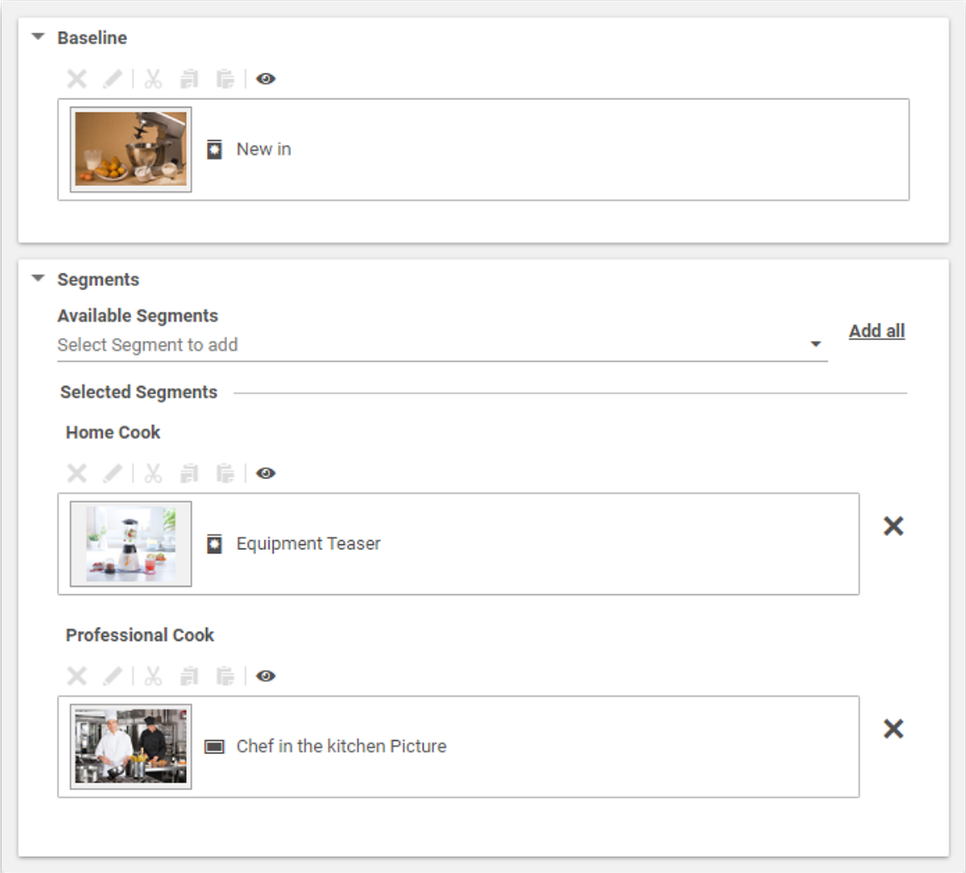
In Studio, the editor would be presented with the following view. The professional cook and the home cook are offered products that match their interests, which makes it more likely that they will buy them in your store. Not to forget the customers who do not correspond to any of the specified categories - for example those who visit a site for the first time. For these customers there is the Baseline. Here you can place content that appeals to the widest possible audience.
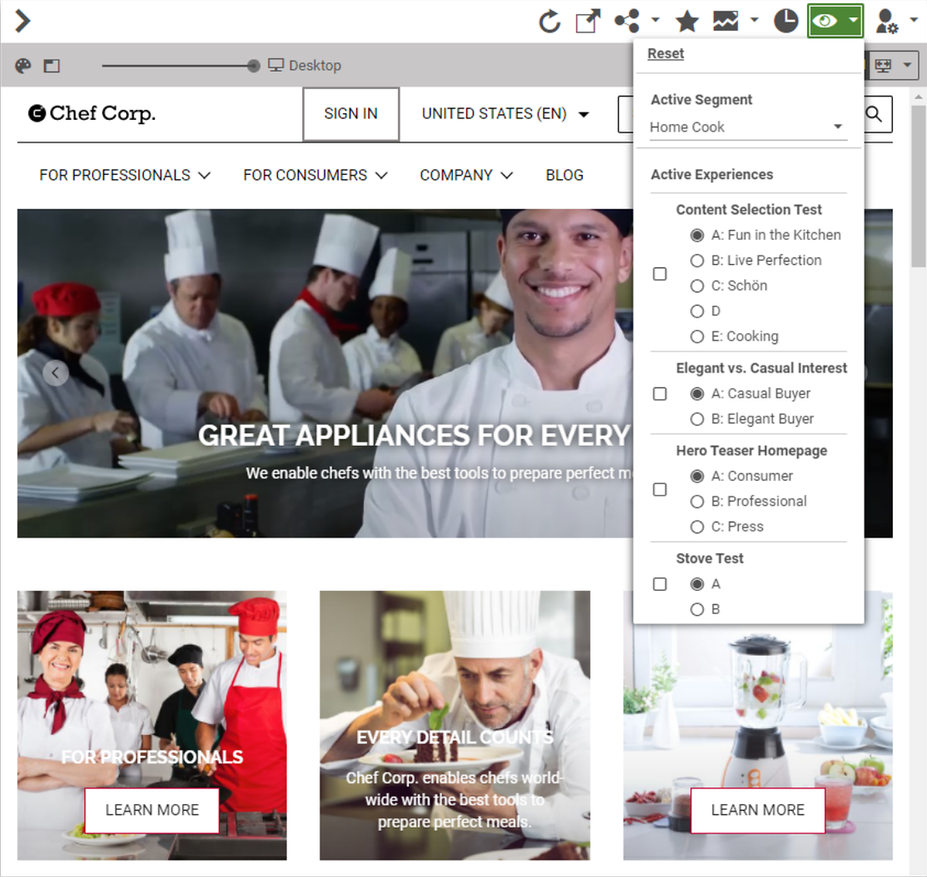
Before the personalized content goes live and is made available to your customers, it is of course important to see what the site would look like from the perspective of the individual segments. This can be done using the new preview function of the CoreMedia personalization engine. Just switch between the various segments and get an impression of the different variants.
Now the content can finally be published. Monetate computes in the background which content is presented to which visitor. Editors does not have to worry about this. They only create the shopping experience for their customers.
Experiences
There are many different use cases for Monetate experiences, but testing and optimization are probably the most common ones. The concept is simple: First, you create at least two variants of a content item, which differ by various criteria. A randomly selected audience is now offered one of each variant to determine which of them resonates best. This variant can be declared the winner and then be used permanently on the website. Thus the content of your page can constantly be adapted to the needs of the website visitors.
Like segments, experiences are created in Monetate and can then be integrated in Studio by the editors. The editos do not care about how the decisions are made. They only determine what content is displayed for each variant of an experience. Then they can see how the page will look when a particular variant is selected in the preview.
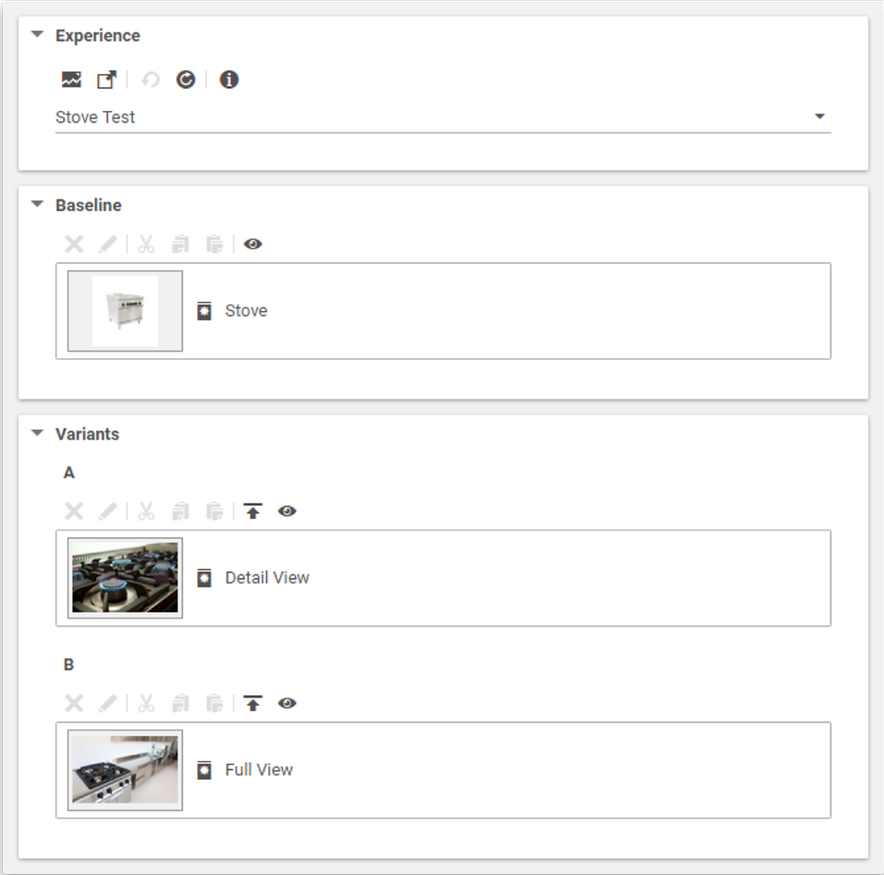
Once published, the test is active. Monetate not only selects the variants in the background that the respective visitor of the page sees, it also tracks their behavior over a certain period of time. In the experience content item in Studio there is a link that navigates to the tracking results that are available in Monetate. They can be used to determine the variant that resonates best.
